

Branded customer email notifications
Delivery notifications in Track-POD Web are better than ever. Check out the new look of our notifications settings + brand-new features you can use today to get the most out of shipping updates.
Read More
One-size-fits-all messages are no longer trendy. In the latest update, Track-POD has enhanced client communication with fully customizable SMS and email notifications. Delivery businesses can now create templates that perfectly align with their brand voice and meet customer needs.
Previously, Track-POD improved the delivery process with notifications for four key stages: prior to Route, at Route Start, en Route, and at Departure sections. Now, managers can personalize each step using a Custom bar, making every delivery interaction unique.
Keeping customers informed has become essential for success in last-mile delivery. Industry experts indicate that 83% of online shoppers desire timely updates and support regarding their orders, making clarity in the shipping process crucial.
However, transparency alone is not enough—personalization is also crucial. A significant 71% of consumers now expect brands to engage with them on a personal level, customizing communication to match their preferences and needs.
To meet these growing demands, Track-POD has redesigned its notification center to create a more intuitive, customer-focused experience consistent with your brand voice.
A customizable delivery framework can save time and increase expertise in delivery operations. The personalized templates eliminate the hassle of drafting individual updates for each delivery scenario.
In the new release, Track-POD allows users to send custom alerts to all recipients on the route or individual clients regarding their deliveries.
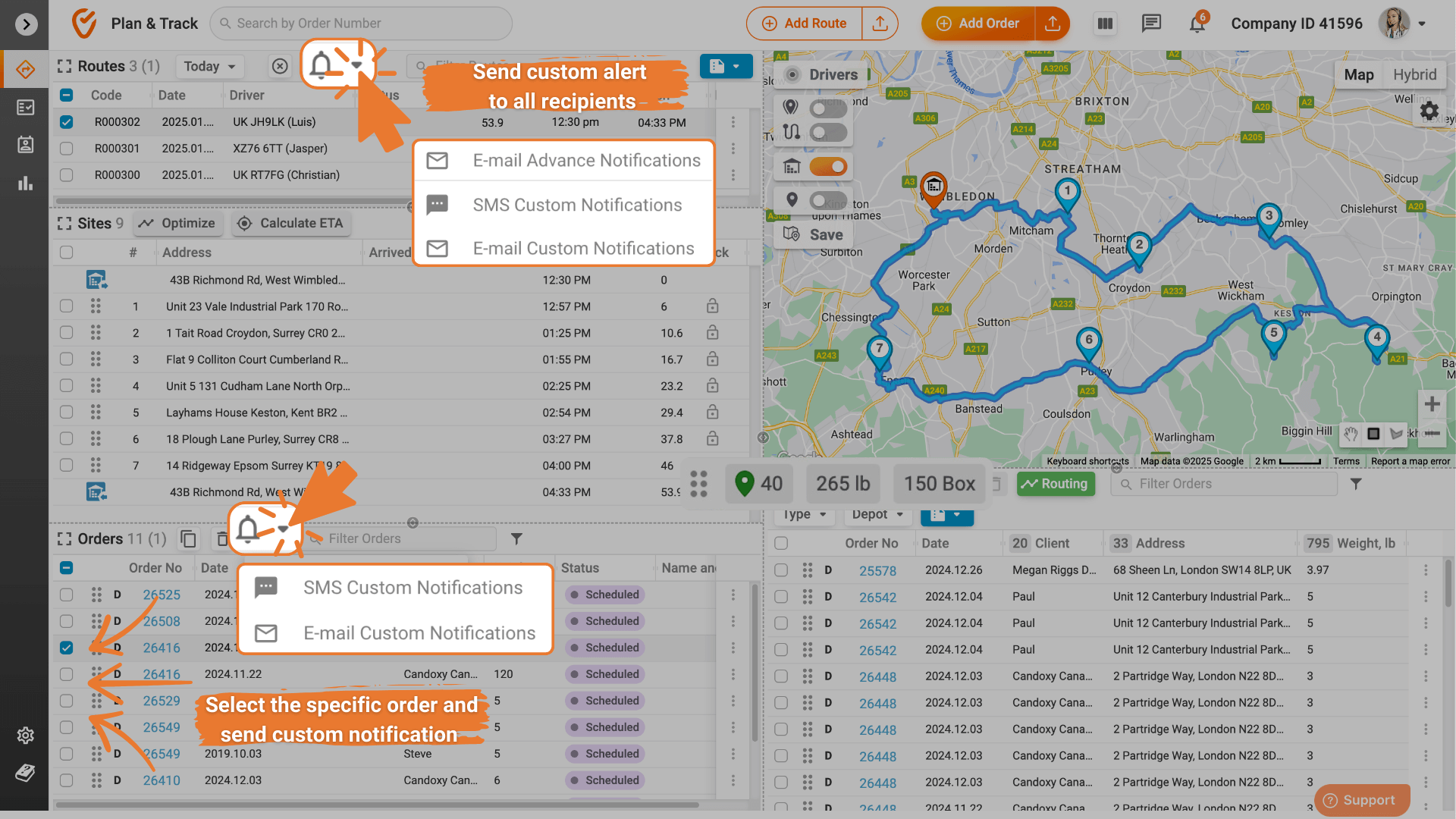
Creating personal delivery messages with Track-POD is simple and convenient. Learn more about setting up custom notifications in our Knowledge Base.
Real-time client updates. Notify clients about delays, partial loads, or any changes instantly.
Personalized communication. Send specific client templates based on regions, cases, or customer preferences.
Process automation. Reduce time spent on notifications for both bulk and individual deliveries.
Clear history tracking. Access log files to review when and what notifications were sent and quickly resolve customer delivery disputes.
Dispatchers can create templates with placeholders for different business scenarios and adjust messages on the fly.
“Dear {client_name},
your order {order_number} containing {goods_list} has been partially loaded. The remaining items will arrive soon.
For further details, please contact {order_shipper}. We apologize for the inconvenience!”
“Dear {client_name},
your delivery for order {order_number} is delayed due to unforeseen circumstances.
Expected arrival: in {eta_min} minutes. We sincerely apologize for the inconvenience.”
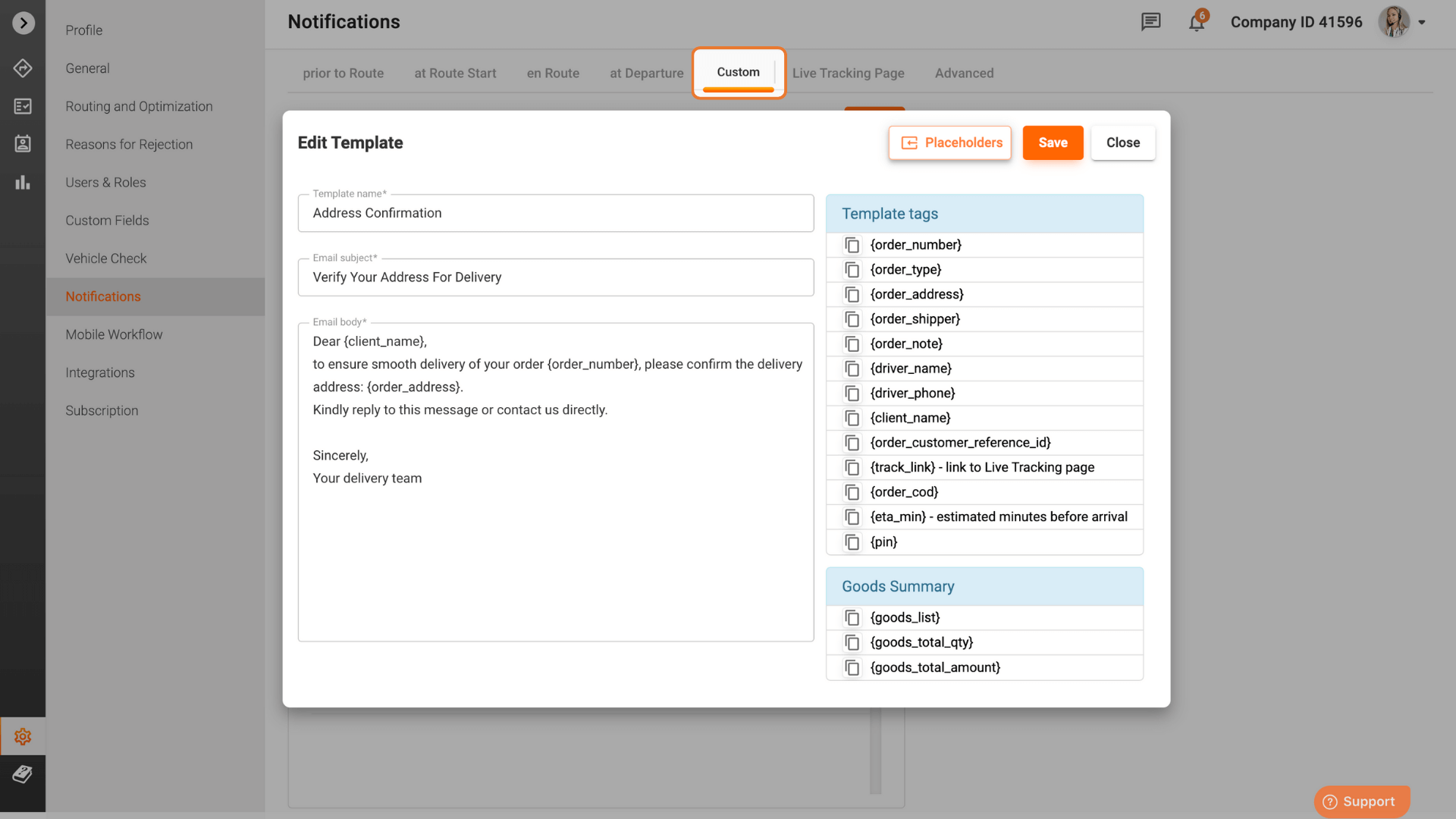
“Dear {client_name},
to ensure smooth delivery of your order {order_number}, please confirm the delivery address: {order_address}.
Kindly reply to this message or contact us directly.”
“Dear {client_name},
your order {order_number} will be delivered in multiple parts.
The remaining items are scheduled for delivery soon. Thank you for your understanding!
Goods summary: {goods_list}.”
“Dear {client_name},
your order {order_number} has been dispatched and is on its way to {order_address}.
The delivery is handled by {driver_name}, who can be reached at {driver_phone}.
Track your delivery here: {track_link}.”
“Dear {client_name},
we attempted to deliver your order {order_number} to {order_address} today but were unable to reach you.
The driver left a note: {order_note}. Please contact us to reschedule your delivery.
Goods summary: {goods_list}.”
“Dear {client_name},
your order {order_number} containing {goods_total_qty} items has been successfully delivered.
Thank you for choosing {order_shipper}!”
“Your delivery for order {order_number} has been rescheduled.
The new estimated time of arrival is in {eta_min} minutes. Please ensure someone is available to receive it at the updated time.
Sorry for the inconvenience!”
“Dear {client_name},
your order {order_number} has been canceled as per your request.
For assistance with refunds or reorders, please contact {order_shipper}.”
Track-POD enables businesses to select the specific template they want to send and choose their delivery channels—SMS or email.
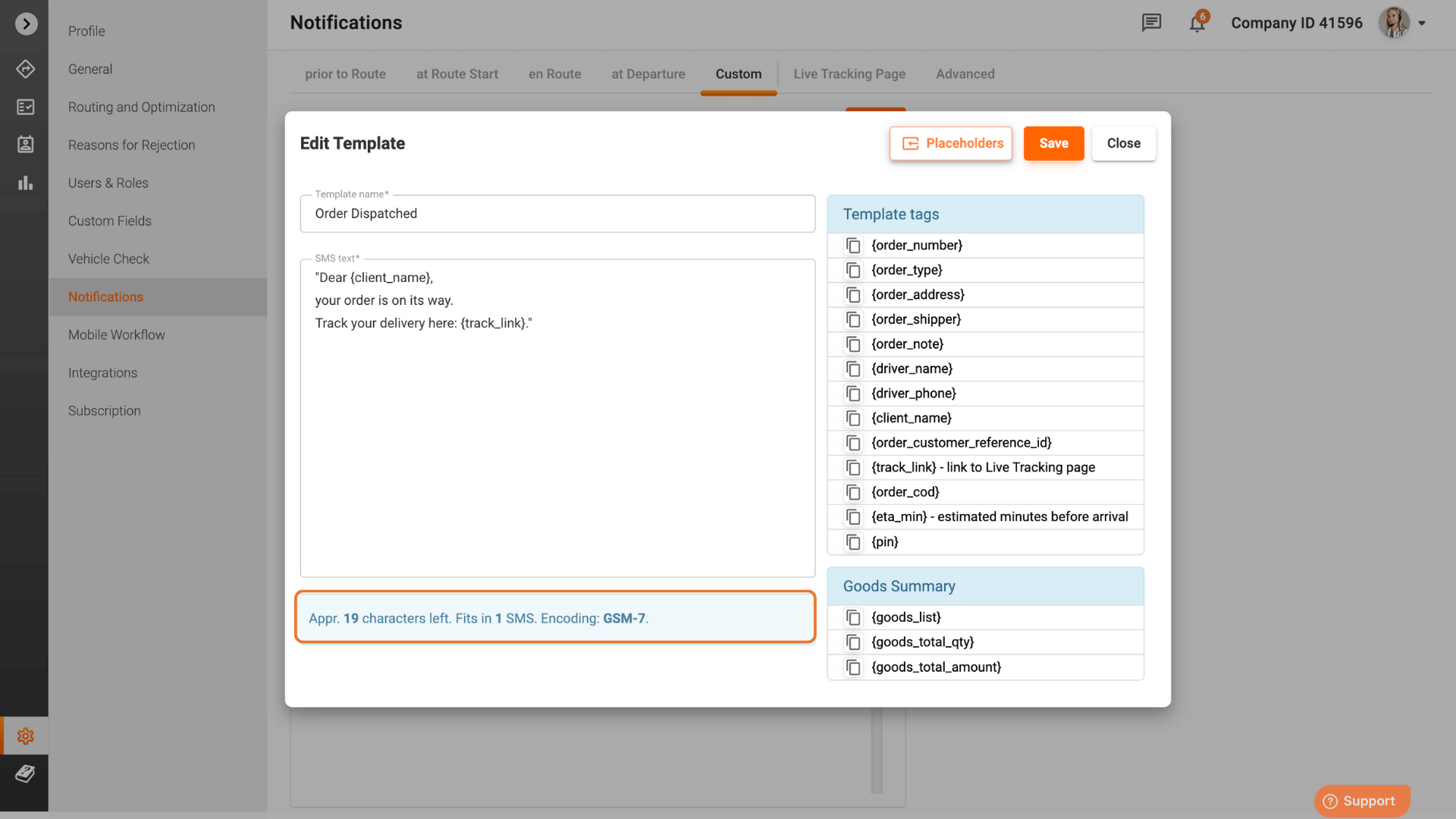
When using SMS notifications, remember that each message can only be 160 characters long. Consider using email or a link to additional information for longer details.
Track-POD records every action on the route in real time. The History bar offers a detailed and chronological breakdown of all actions related to a specific order. This feature provides key timestamps and statuses, such as load status updates, notifications sent to the customer, driver departures and arrivals, or undelivered packages. This proper detailing allows delivery managers to review every step of the process with clarity.
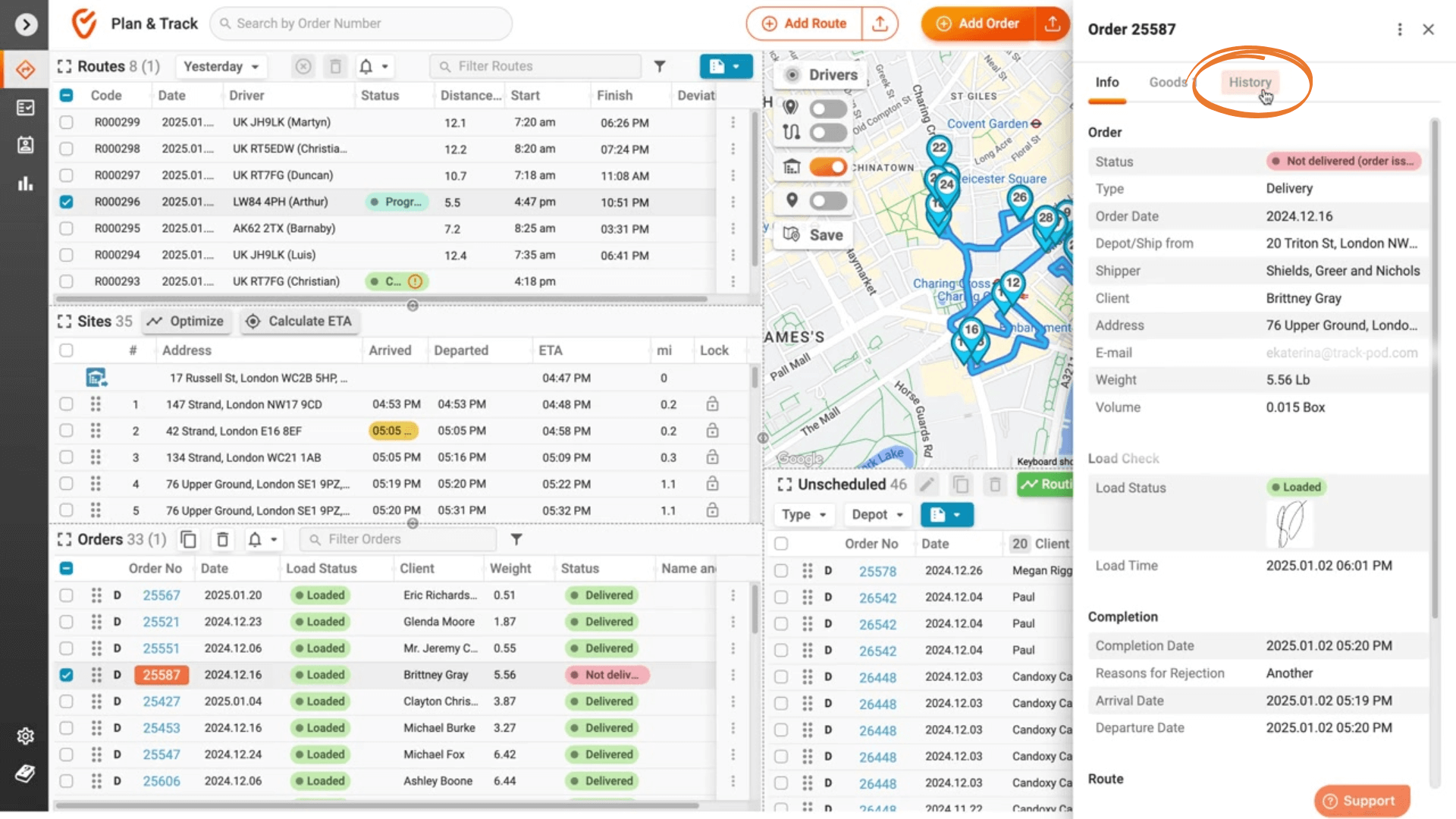
In addition to logging events, Track-POD enhances businesses' analytical capabilities. Users can filter through the history based on various criteria. This flexibility makes identifying recurring patterns, such as delays or discrepancies, easier and provides actionable insights for improving efficiency.
Start using this powerful tool today to take your delivery process to the next level!
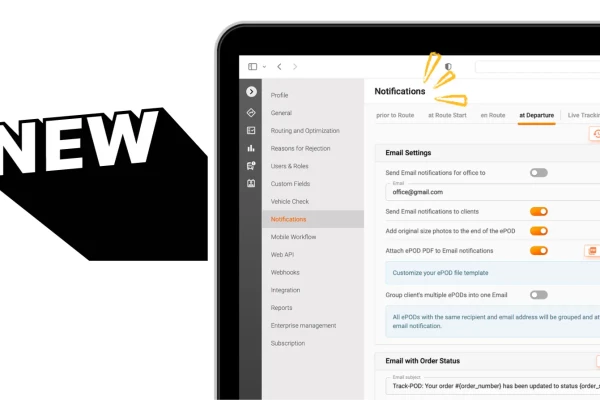
Delivery notifications in Track-POD Web are better than ever. Check out the new look of our notifications settings + brand-new features you can use today to get the most out of shipping updates.
Read More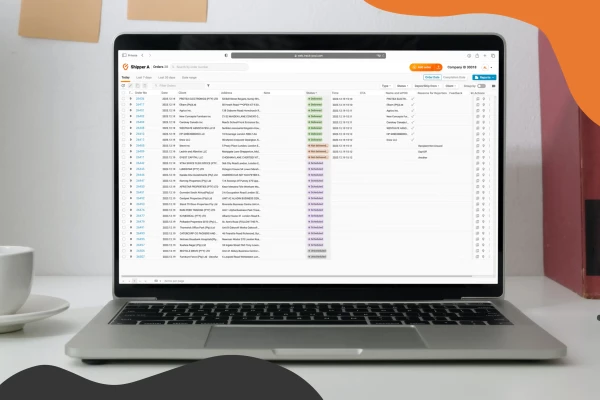
Use Track-POD client portal software to create accounts for your shippers and let them add, track, print shipping labels, and download Proof of Delivery for their orders.
Read More
Track-POD integrates with leading navigation apps, including Google Maps, Waze, Hammer, HERE We Go, Sygic, Mapy. cz, and now TruckMap. Choose the GPS navigator that best suits your business needs in 2026.
Read More