- Product news
- Route Planning
Alerts for Lost Driver Signal, in the App or by Email

by
Anton Ananich
October 22, 2026
A lot of drivers hand over an order, switch their phone off and drive on to the next stop. For the dispatcher, the driver's position on the map stops updating, and there is no way to tell whether they are on the road, on a break or somewhere without signal. Until now, someone had to notice that the tracking had gone quiet.
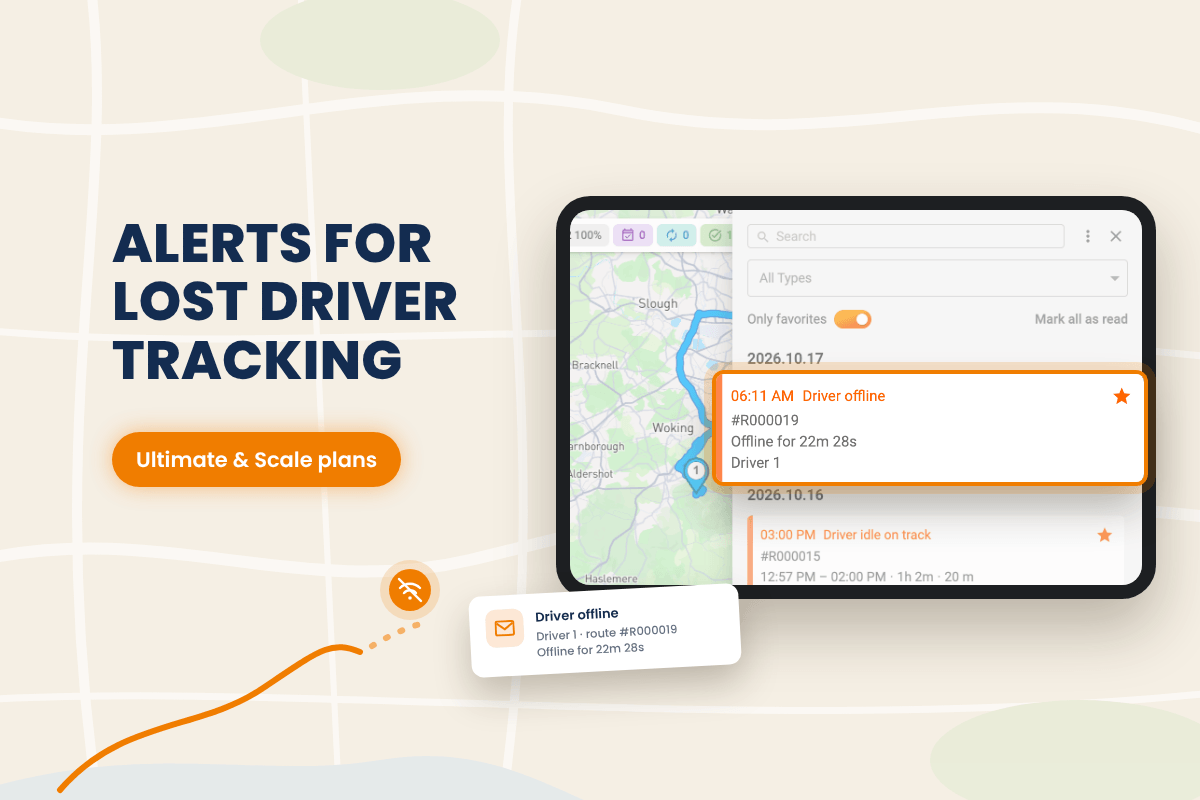
Track-POD now flags this on its own. A new notification tells dispatchers when a driver goes offline, each company sets how long to wait before the alert fires, and notifications can also go to email for people who aren't watching the screen. Driver offline alerts are available on two plans: Ultimate, priced per driver, and Scale, priced per order.
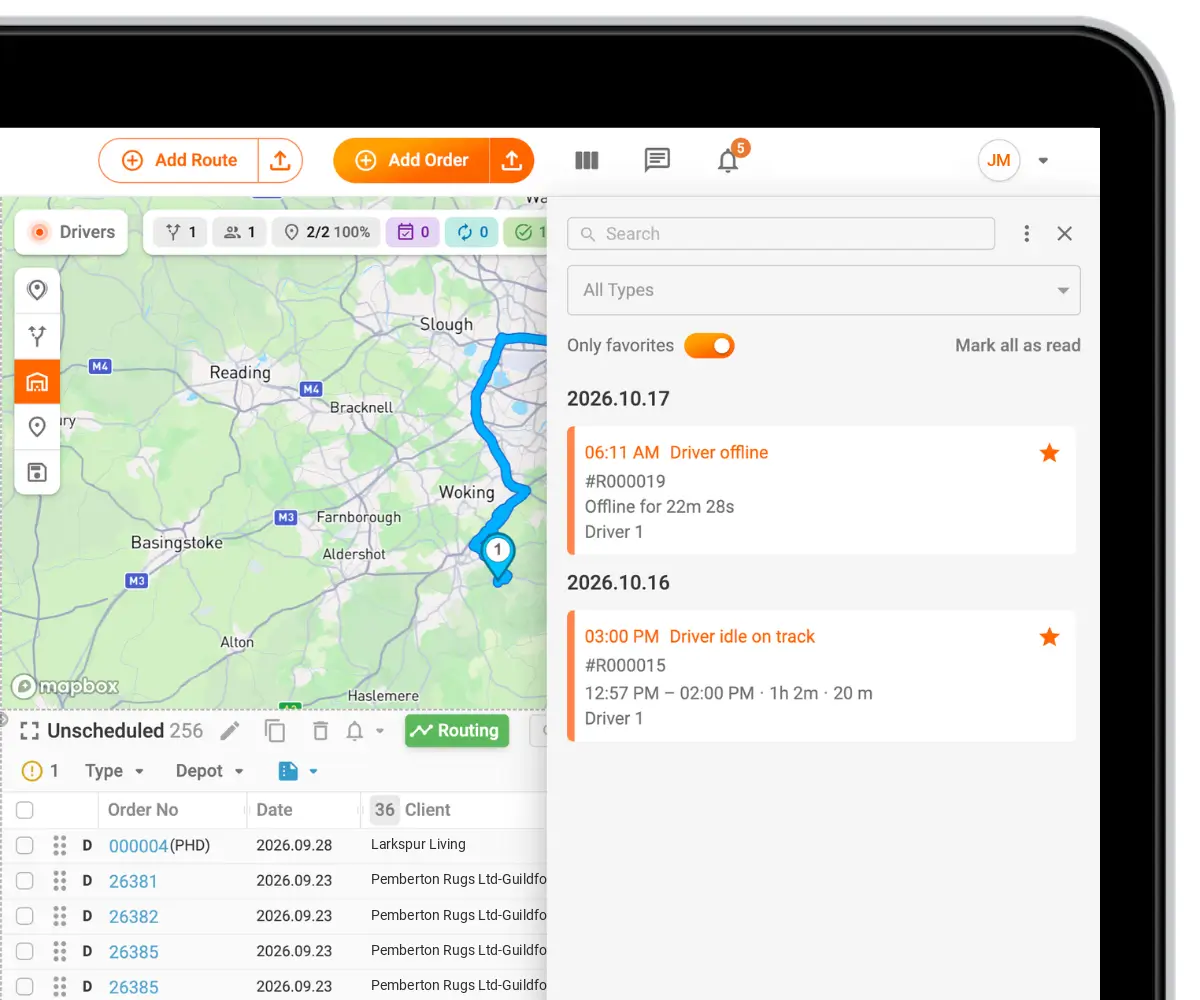
A notification when a driver goes offline
When a driver's app loses connection, dispatchers now get a Driver offline notification in the bell panel, next to the other web notifications. It works alongside the Driver idle on track alert, which covers drivers who stay in one place too long while on a route.
With both alerts on, a driver who stops moving and a driver who drops off the map are each flagged, and the dispatcher can call them or check on the next stops before a customer starts asking.
Choose how long to wait before an alert
Turn on the Idle on track and Offline alerts in Settings → Profile → Notifications, under Drivers section.
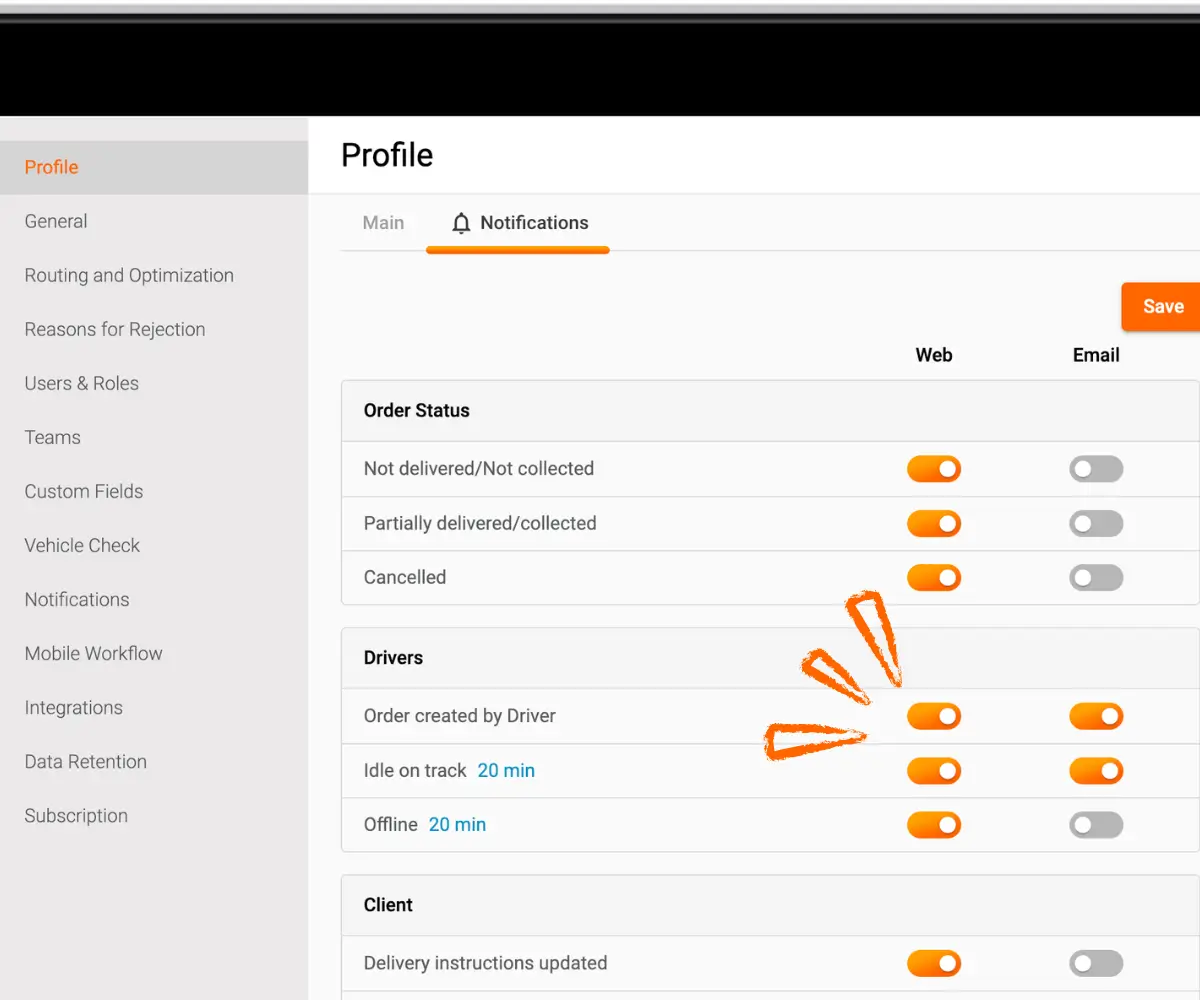
Both driver alerts now have an adjustable delay. By default each one fires after 20 minutes, and you can set it to anything from 5 minutes to 24 hours in under Settings → General → Advanced.
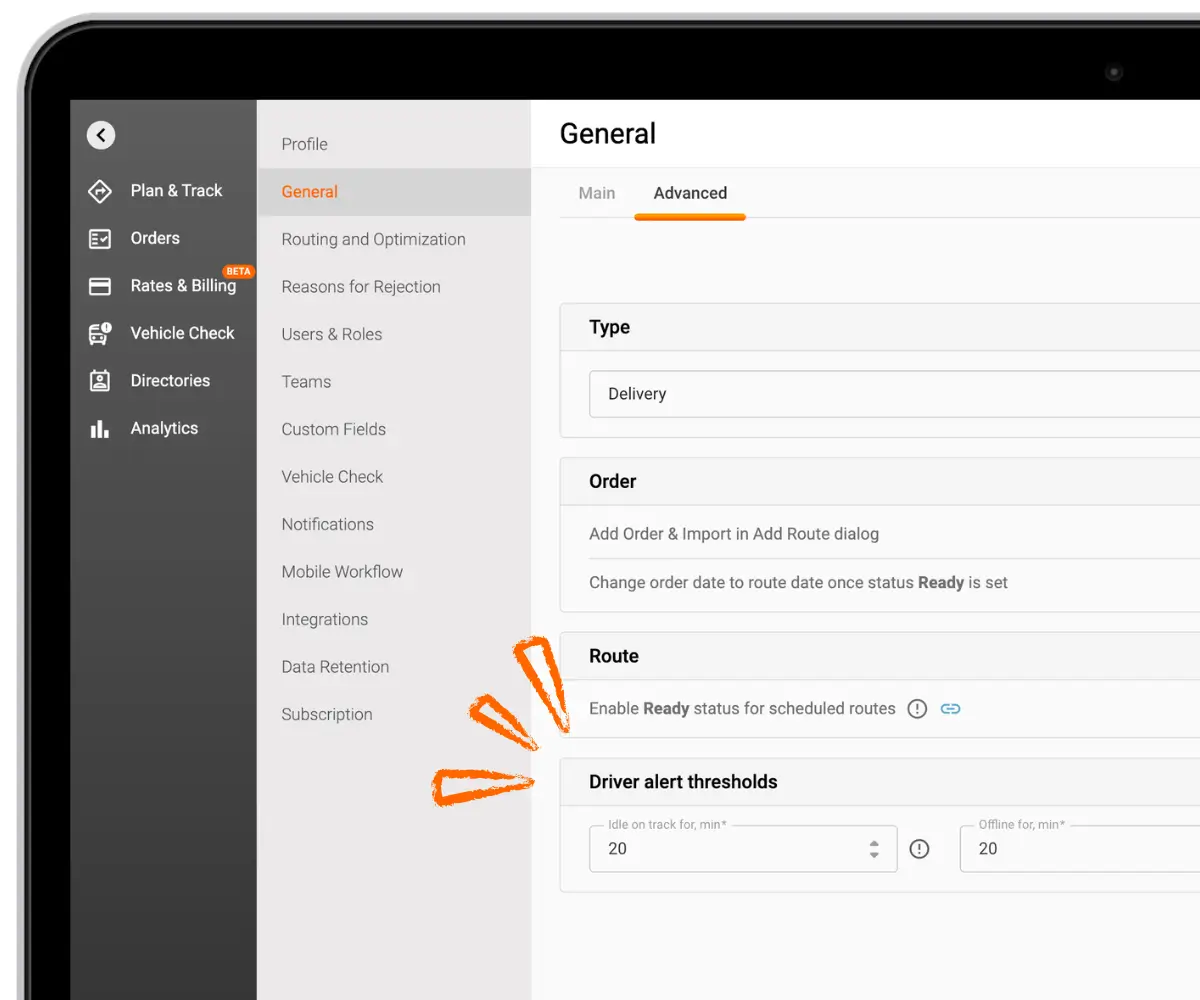
The delay is what keeps these alerts useful. A driver stuck in traffic, stopping for lunch or passing through a tunnel shouldn't set off a notification. A company with short urban stops might want to hear about a lost connection after 10 minutes, while a long-haul operation can wait an hour or more. Each account sets the threshold that matches how it works, so the alerts that do arrive are worth acting on.
Notifications by email
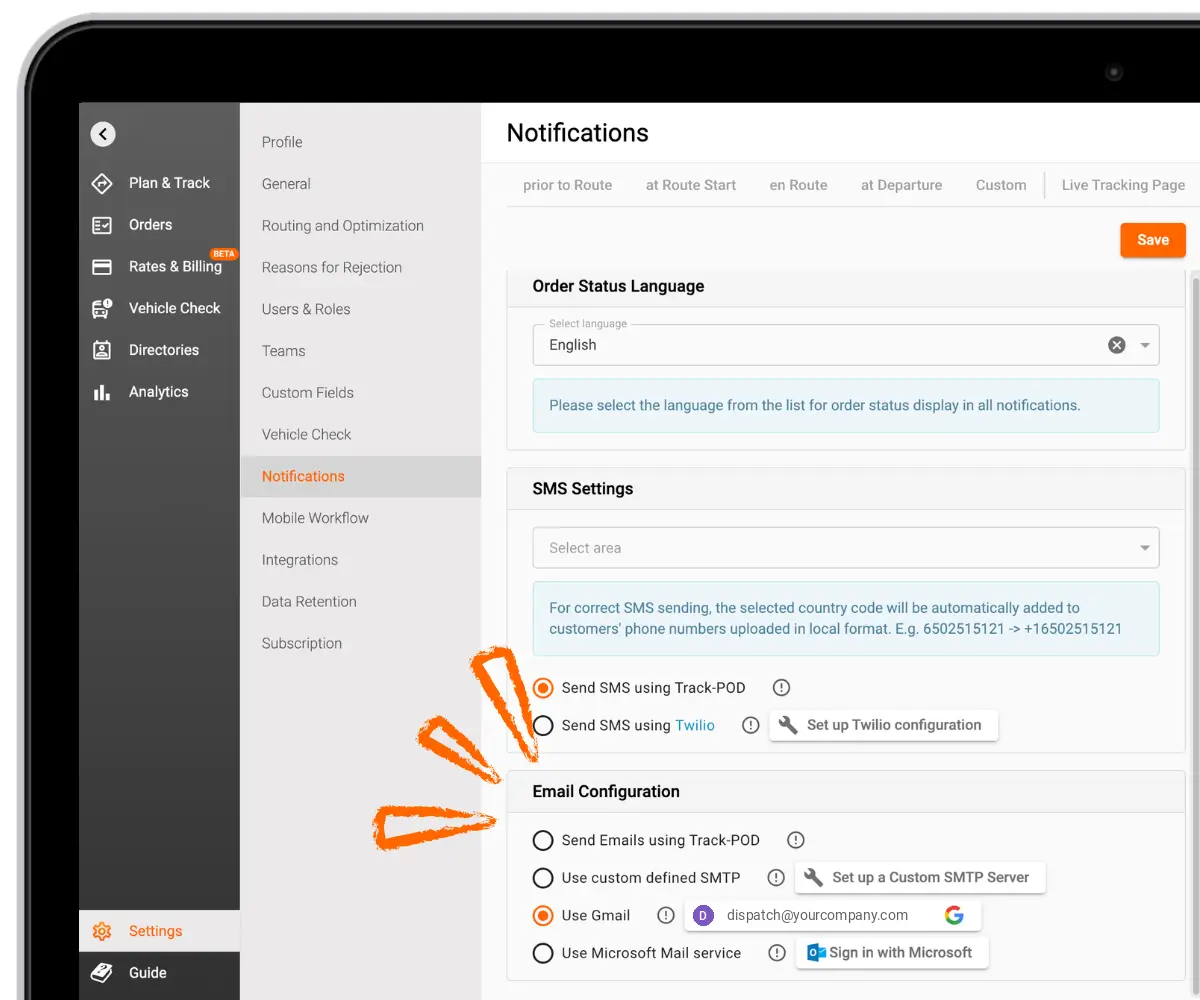
Notifications no longer have to wait in the app for someone to open it. Every event in Notification preferences now has its own email toggle, so each user picks which alerts also go to their inbox.
Emails are sent through your own mail service, so you need a custom email configuration in your account first: custom SMTP, Gmail or Microsoft mail. Any of these works. Until one is connected, email notifications stay unavailable.
Why it matters
A driver going offline is flagged automatically, so a gap in delivery tracking no longer depends on someone spotting it on the map. Email takes the important alerts to managers who are in a meeting, on the road or simply not watching Track-POD.
The adjustable delay cuts down on false alarms. Traffic jams, lunch breaks and tunnels stop producing notifications, and each company tunes the timing to its own routes.
Recap
Track-POD now sends a Driver offline notification when a driver's app loses connection. Both Driver offline and Driver idle on track fire after 20 minutes by default, adjustable from 5 minutes to 24 hours in Settings → Profile → Notifications. Any event in Notification preferences can also be sent by email once your own mail service is connected. Driver offline alerts are available on the Ultimate plan (per driver) and the Scale plan (per order).