- Product news
- Route Planning
Choose Whether Old Delivery Notes Follow a Rescheduled Order

by
Anton Ananich
September 20, 2026
When delivery instructions are enabled, customers can leave a note on the live tracking page, like where to leave the parcel, a gate code, which door to use. The note stays on the order, and both the dispatcher and the driver can see it.
The question is what should happen to that note when the delivery fails and the order is rescheduled. For some customers the instruction belongs to that one day, and a new attempt needs a new one. For others it never changes, and asking again would only be a nuisance. Customers asked for both, so Track-POD now lets you choose.
How it works
The customer adds an instruction on the live tracking page, and it appears on the order in Plan & Track.
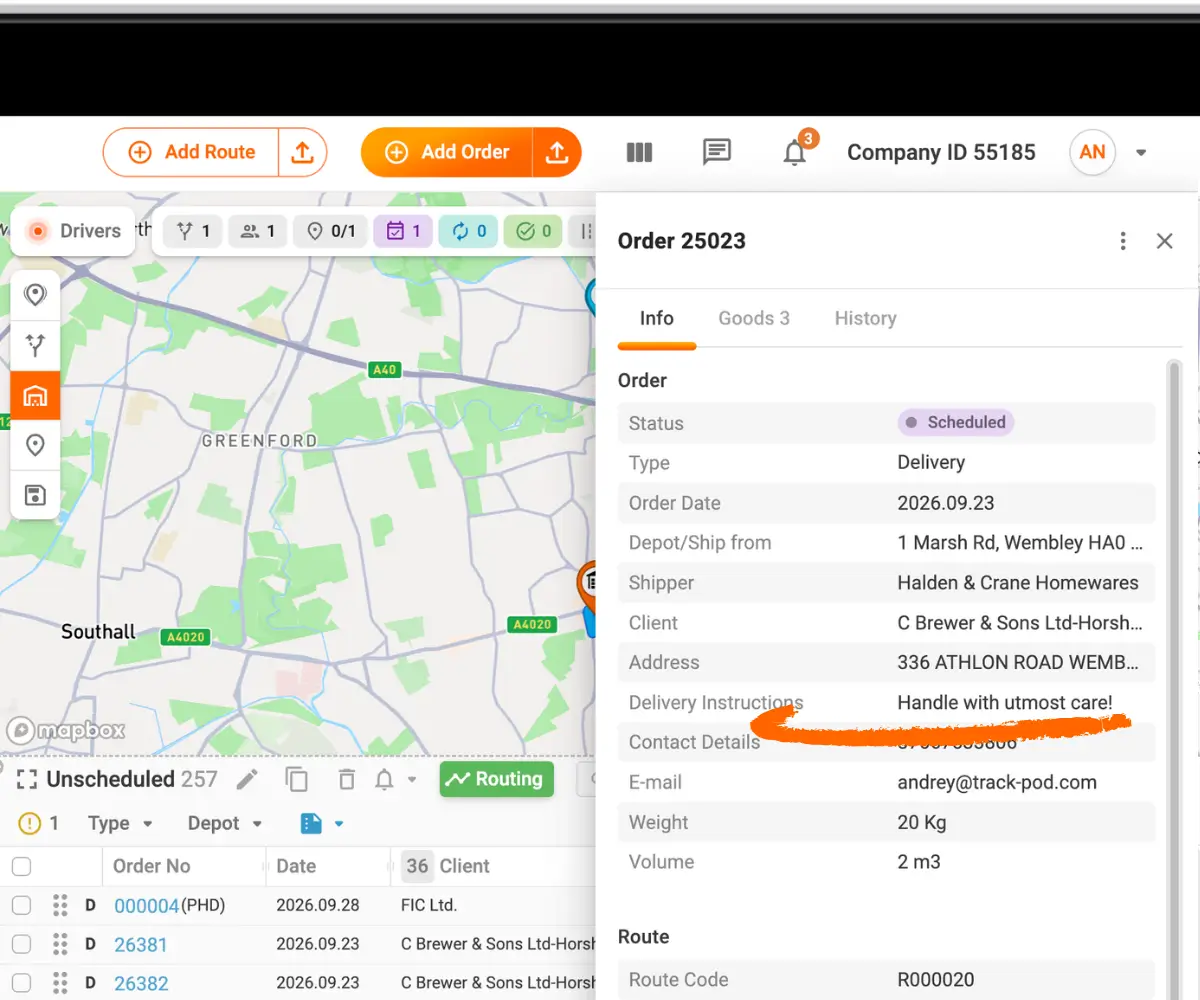
If the driver marks the order as not delivered, the dispatcher reschedules it by dragging it back to the Unscheduled section. That is the moment the new setting applies.
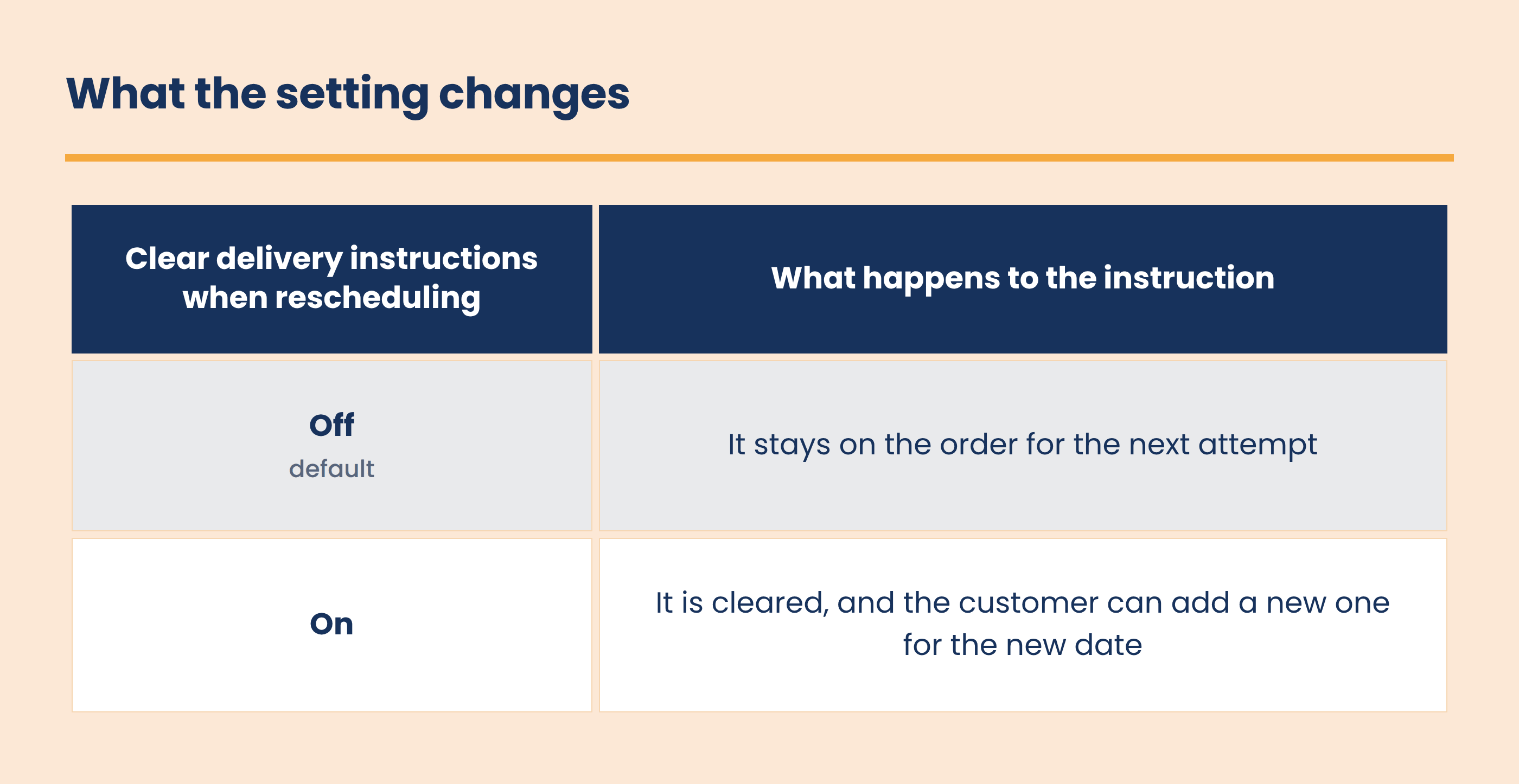
Turning it on
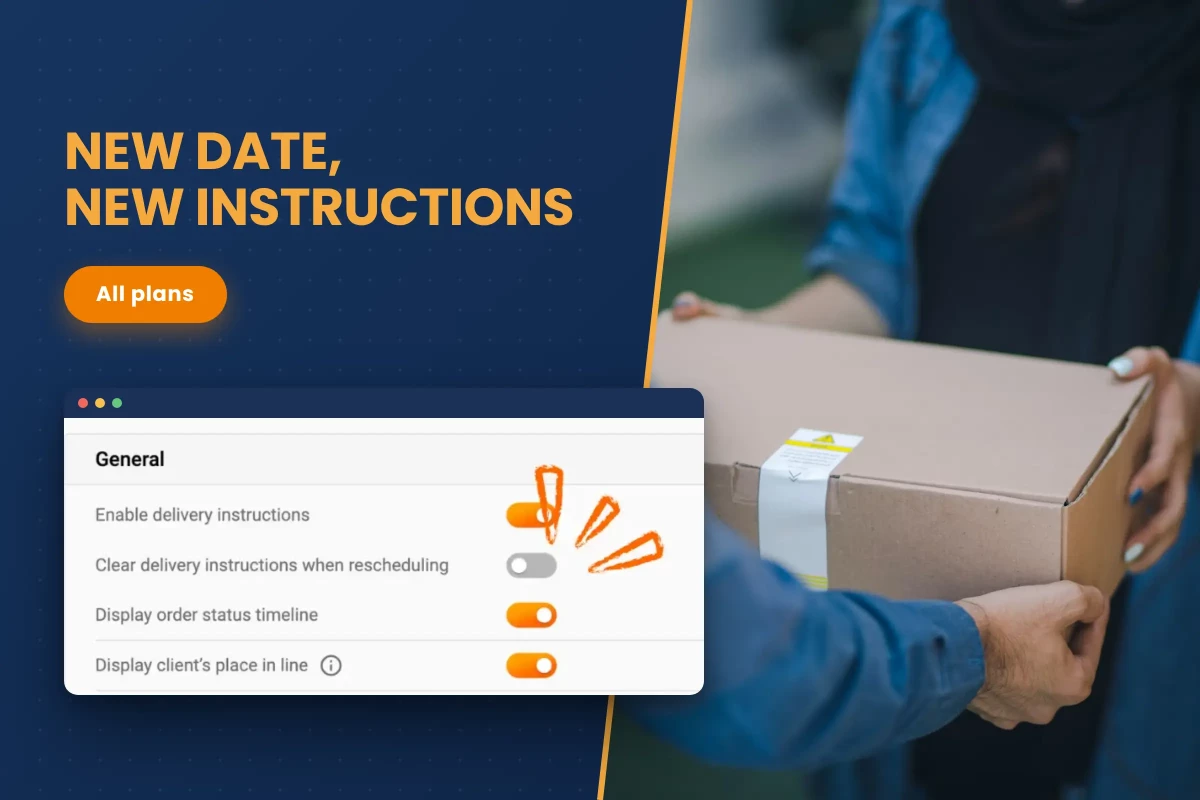
- Go to Settings → Notifications → Live Tracking Page.
- Turn on Clear delivery instructions when rescheduling and click Save.
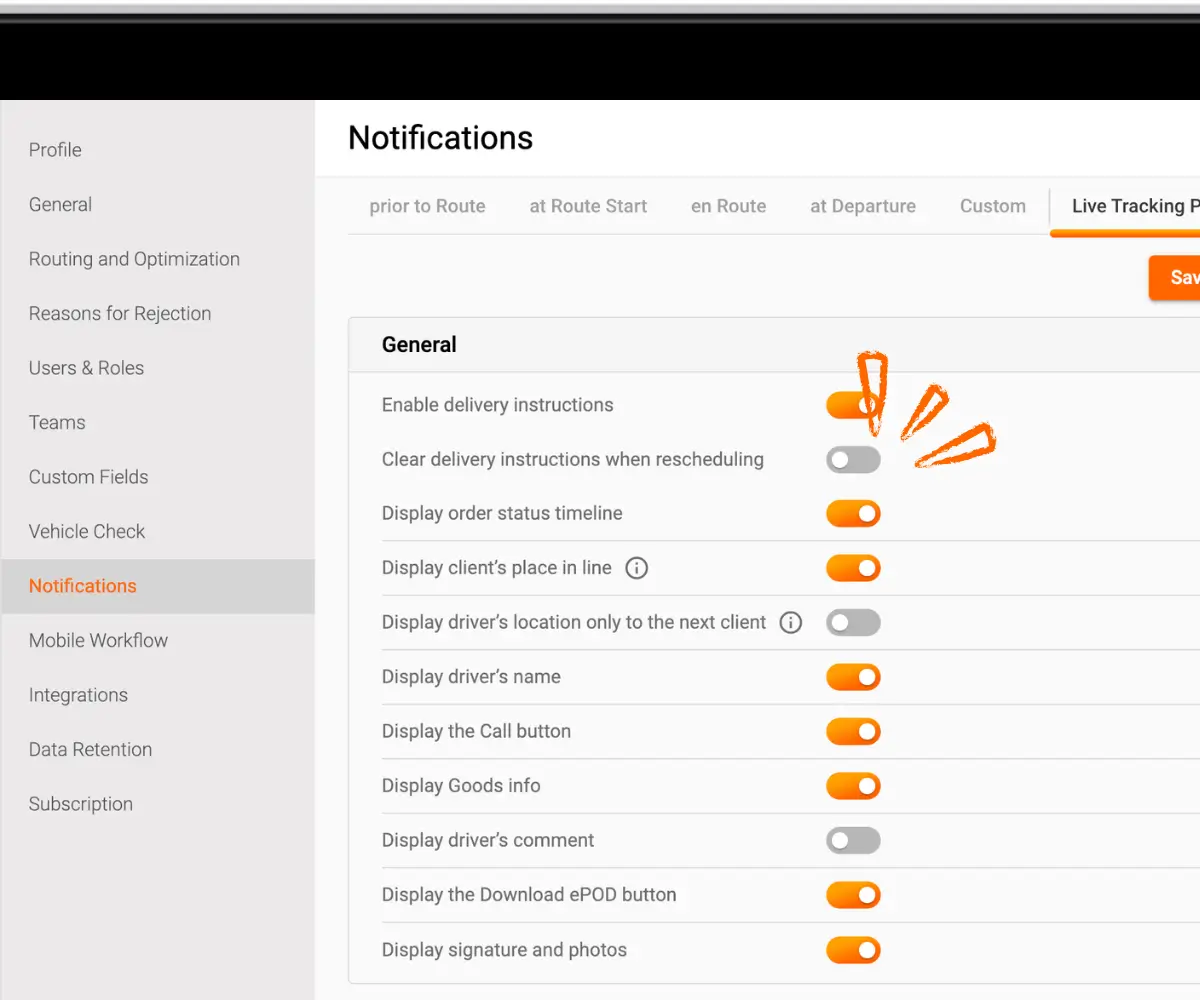
The new option only appears when Enable delivery instructions is on. It is off by default, so nothing changes for existing accounts until someone switches it on.
Why it matters
A note like "leave it at the back door" made sense for Tuesday's delivery and may be wrong for Friday's, when someone will be home or the parcel needs a signature. Clearing it on reschedule stops a driver from following stale advice, and the customer gets the chance to say what suits the new date.
For customers whose instructions never change, leaving the setting off keeps them in place, and nobody has to type the same gate code twice.
Recap
With Clear delivery instructions when rescheduling switched on, Track-POD removes the customer's delivery instructions when an undelivered order is rescheduled, so the customer can leave new ones for the next attempt. The setting sits in Settings → Notifications → Live Tracking Page, needs delivery instructions enabled, and is off by default. Available on all plans.