- Route Planning
- Product news
Rates & Billing: Delivery Pricing on Autopilot

by
Anton Ananich
October 23, 2026
If you deliver for several shippers, you probably have as many price lists. One pays a flat fee per drop, another pays by weight, a third adds a premium for Saturday runs, and tax has to go on top. Working out what each order should cost usually happens in a spreadsheet at the end of the month, long after the van came back, and every rescheduled route or edited order means checking the numbers again.
Rates & Billing moves that work into Track-POD. You describe your pricing once, assign it to your shippers, and the platform calculates a delivery charge for every order as it is created and keeps it current until the delivery is done. The feature is available on all per-order plans and on the per-driver Ultimate plan, and is currently in beta.
Here we cover what Rates & Billing does and how it fits into your day. Part 2 walks through the calculation rules in detail, with worked examples.
Your price list, built into the platform
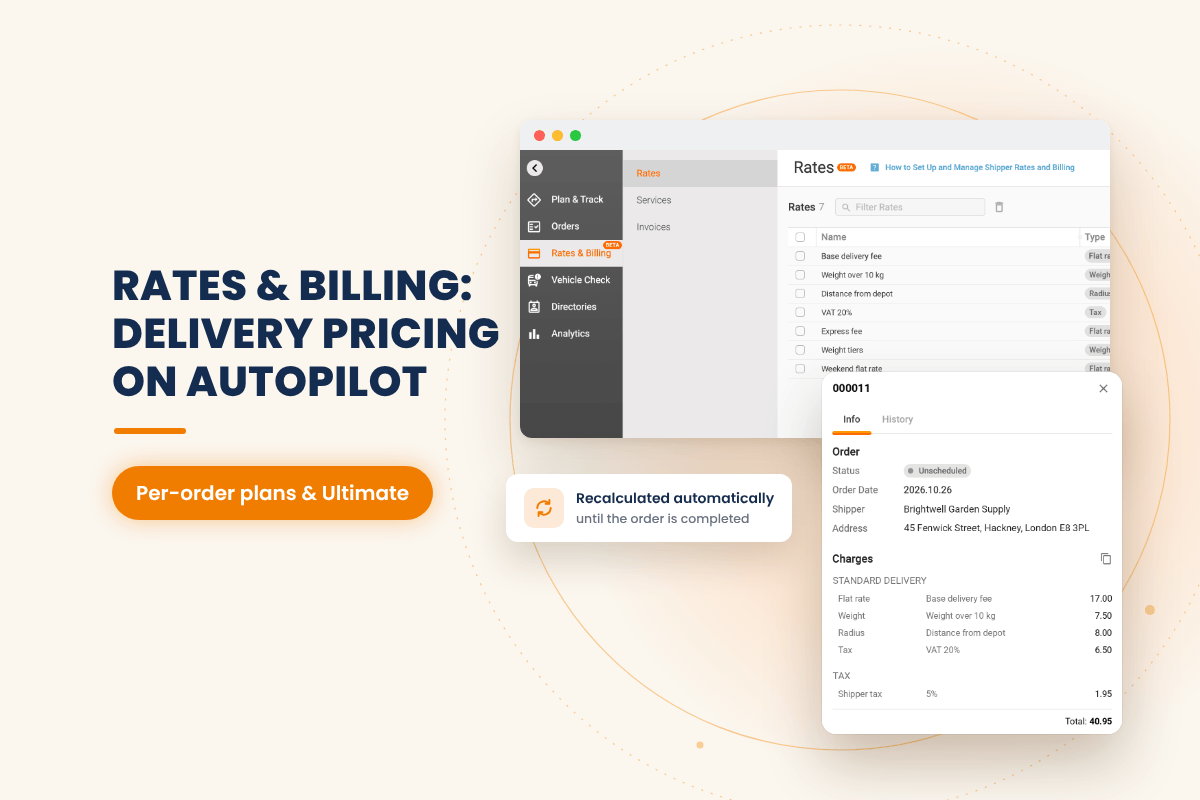
Pricing in Rates & Billing is assembled from three building blocks, and each one has its own place in Track-POD. Rates & Billing section itself is in the left-hand menu, currently marked BETA.
Rates are single pricing rules: a flat delivery fee, a charge per kilogram, a charge per kilometre, a tax percentage. You create them in Rates & Billing → Rates.
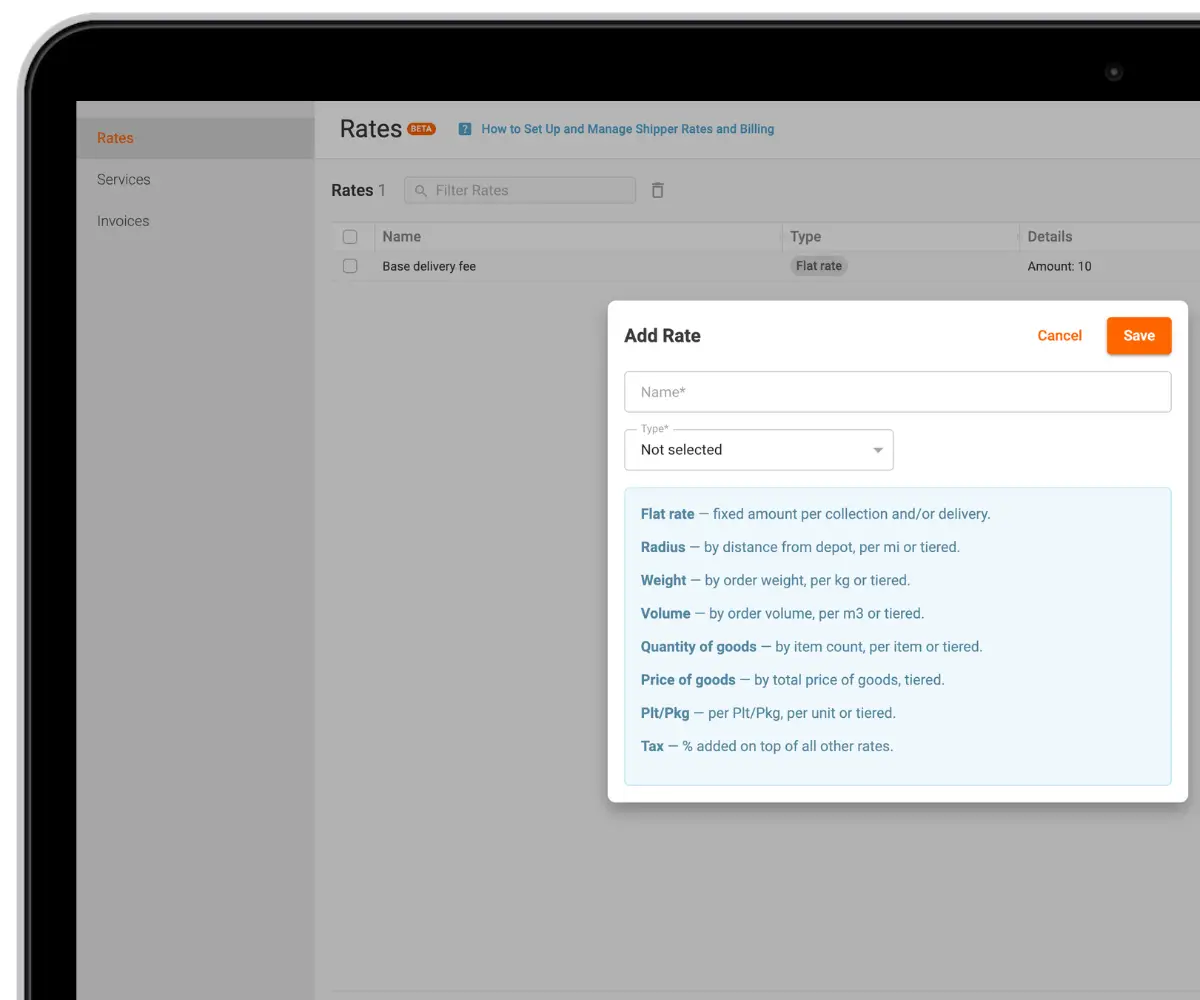
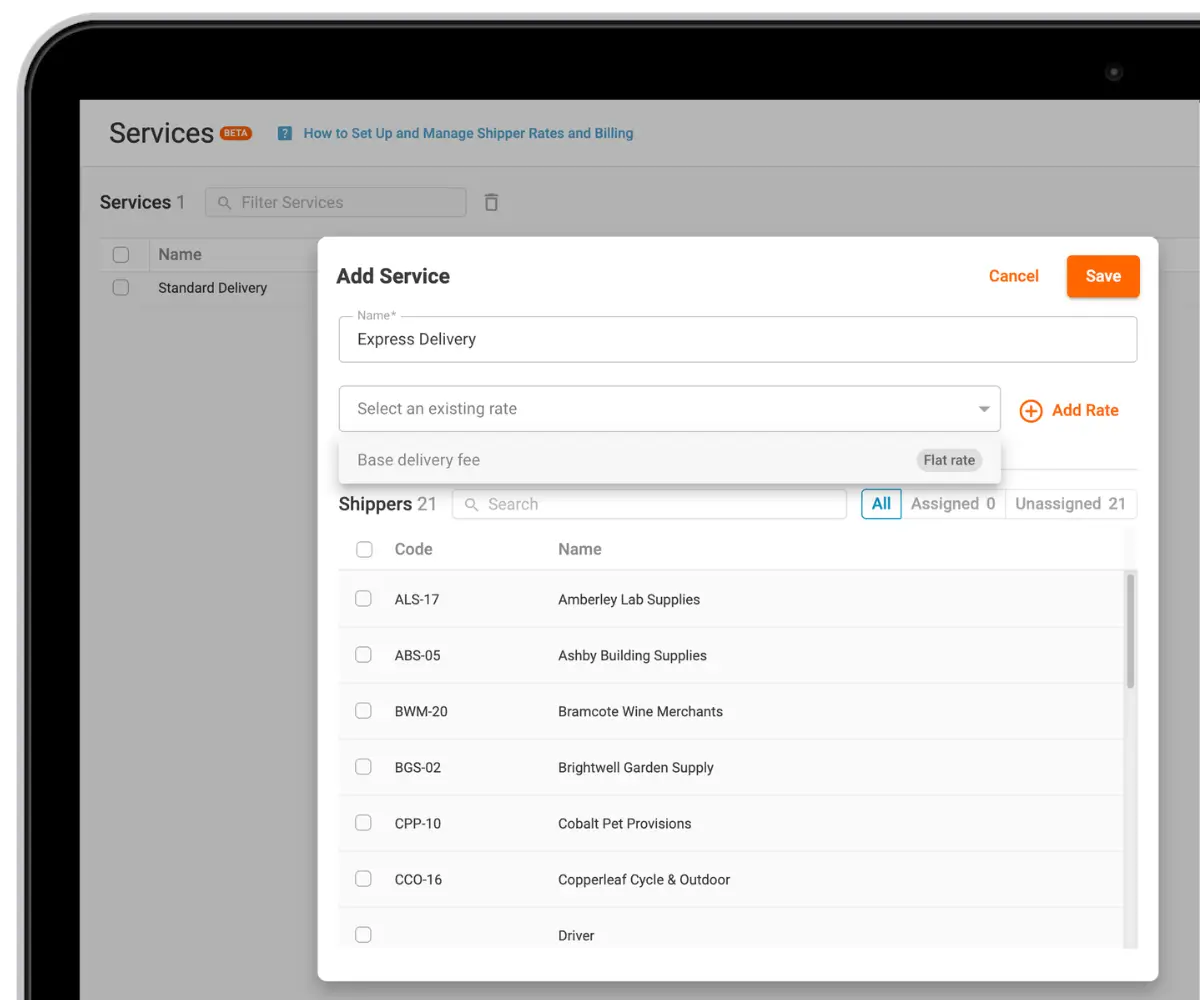
Services bundle several rates into one offer. A "Standard Delivery" service might combine a flat fee, a weight charge, a distance charge and tax. You build them in Rates & Billing → Services.
Shippers are the customers to whom you assign services and configure billing settings. Each shipper gets the services that match its agreement with you, set in Directories → Shippers on the shipper's Services tab (open the shipper with the pencil icon).
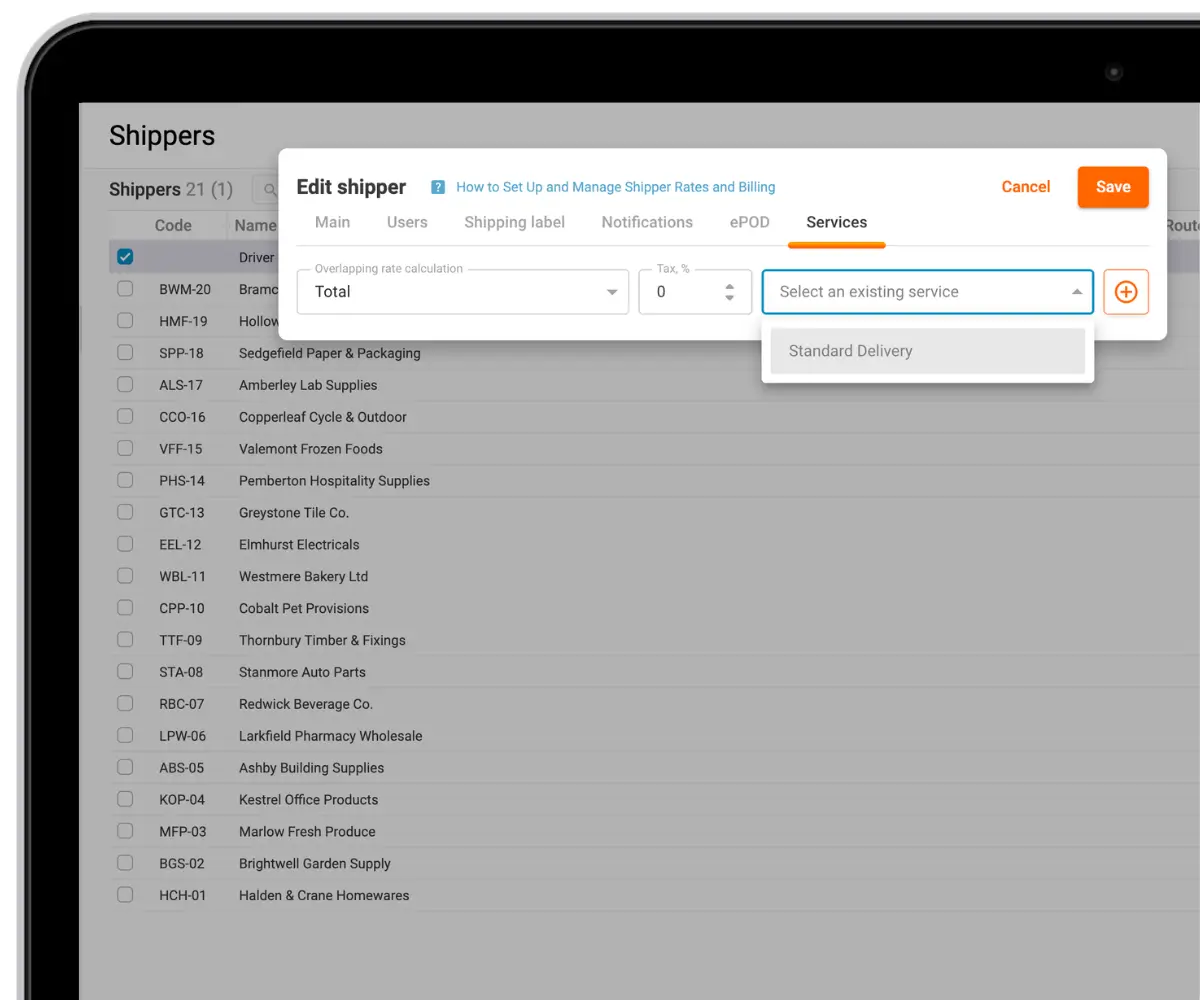
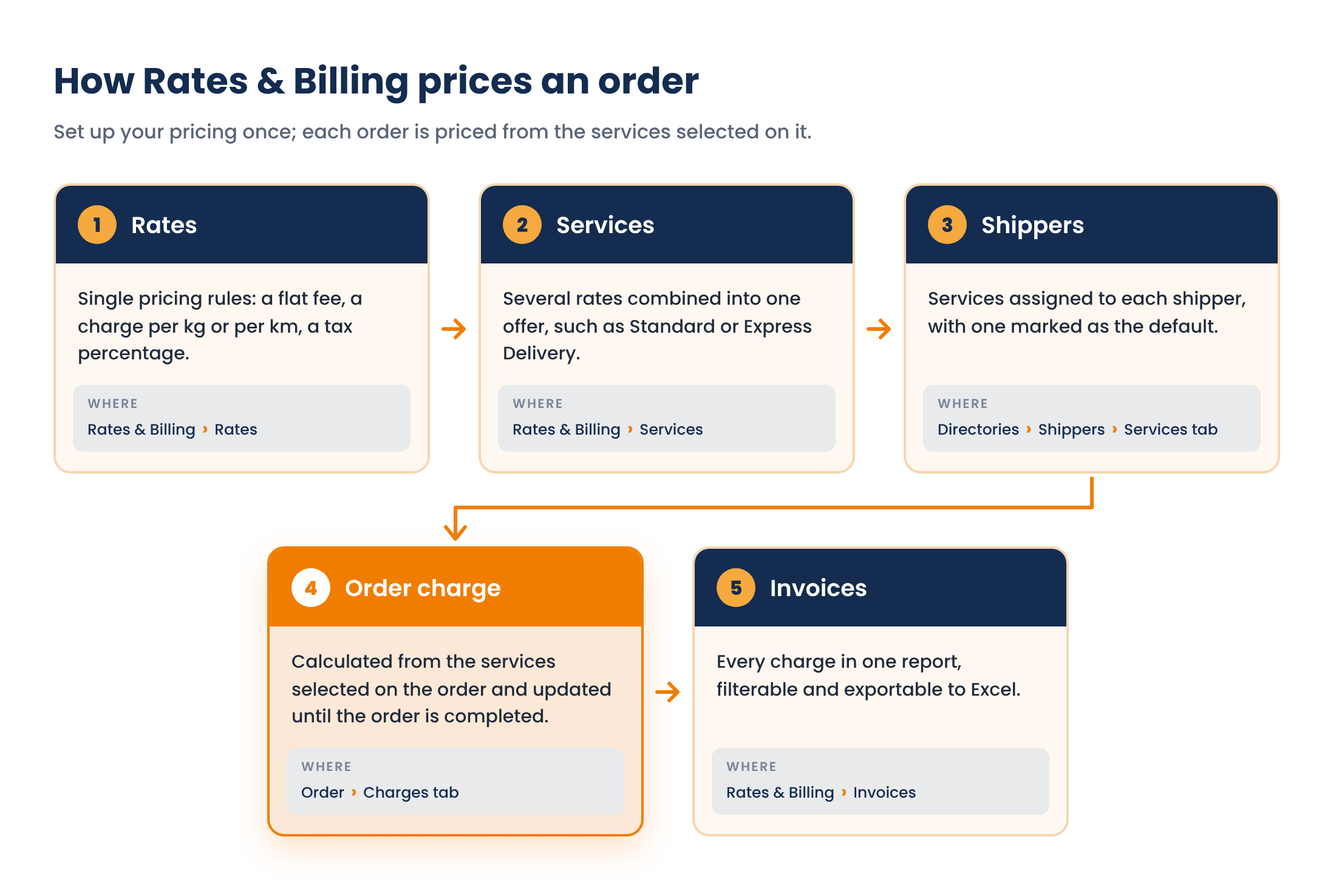
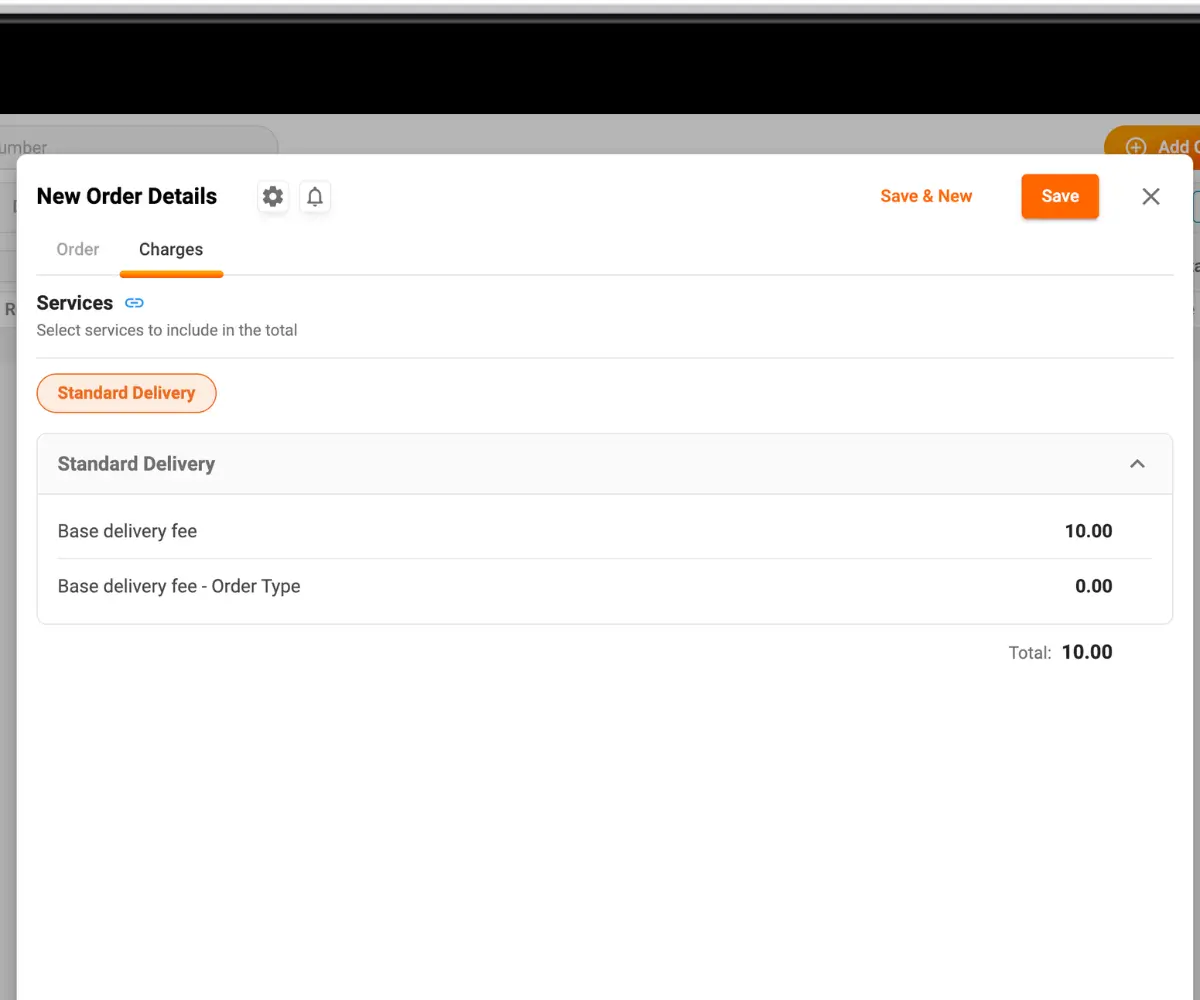
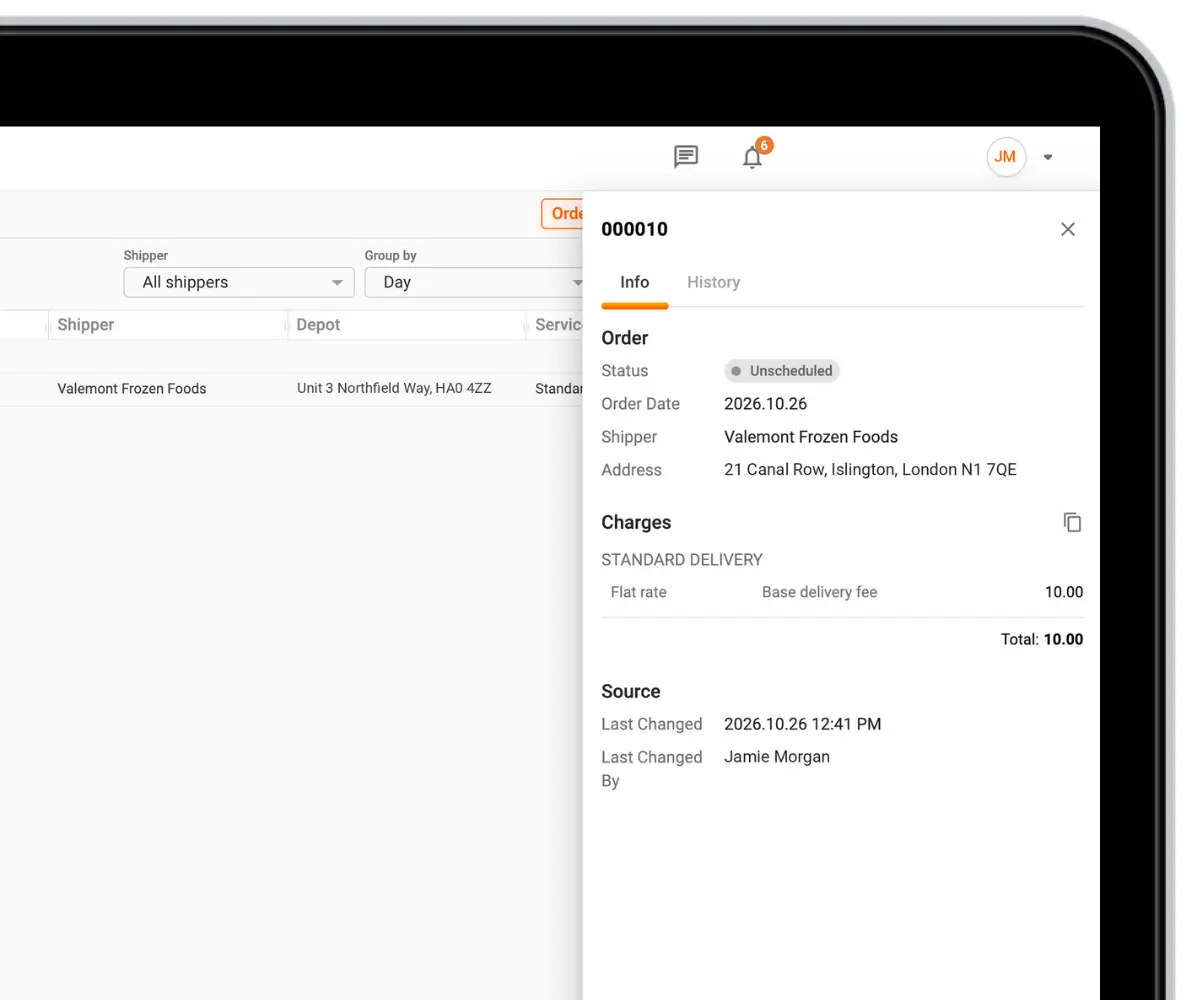
Once a shipper has its services, every order created for that shipper is priced automatically. The amount shows in the order's Charges tab while you're working on it, and in Rates & Billing → Invoices once the order is saved. Rates can be reused across services, and one shipper can have several services, so a standard and an express offer can live side by side.
Rates feed services, services go to shippers, and every order for that shipper is priced and listed in Invoices.
Charge for what the delivery actually involves
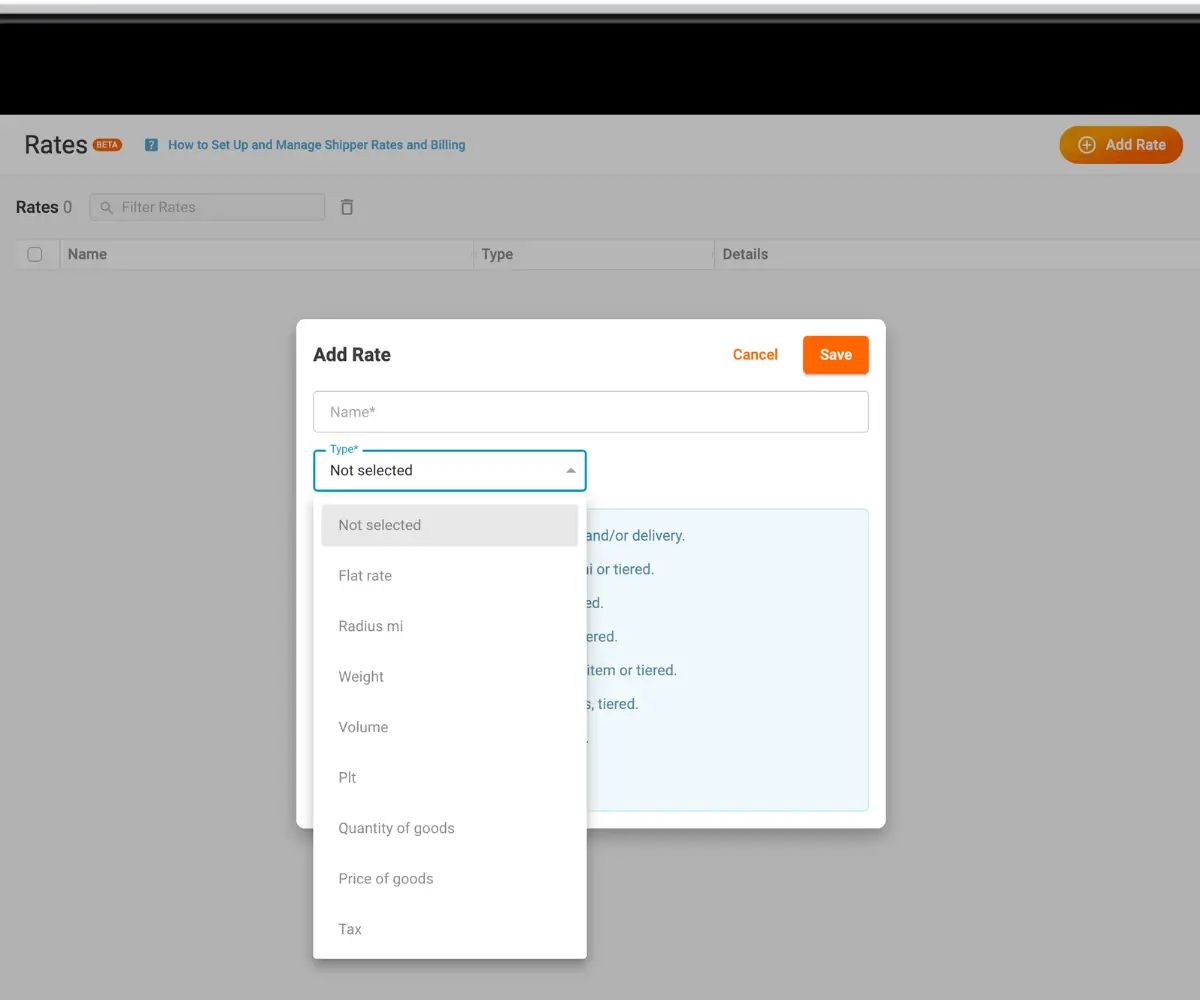
Rates & Billing covers the factors delivery businesses usually price on. To add one, go to Rates & Billing → Rates, create a rate and pick one of eight types.
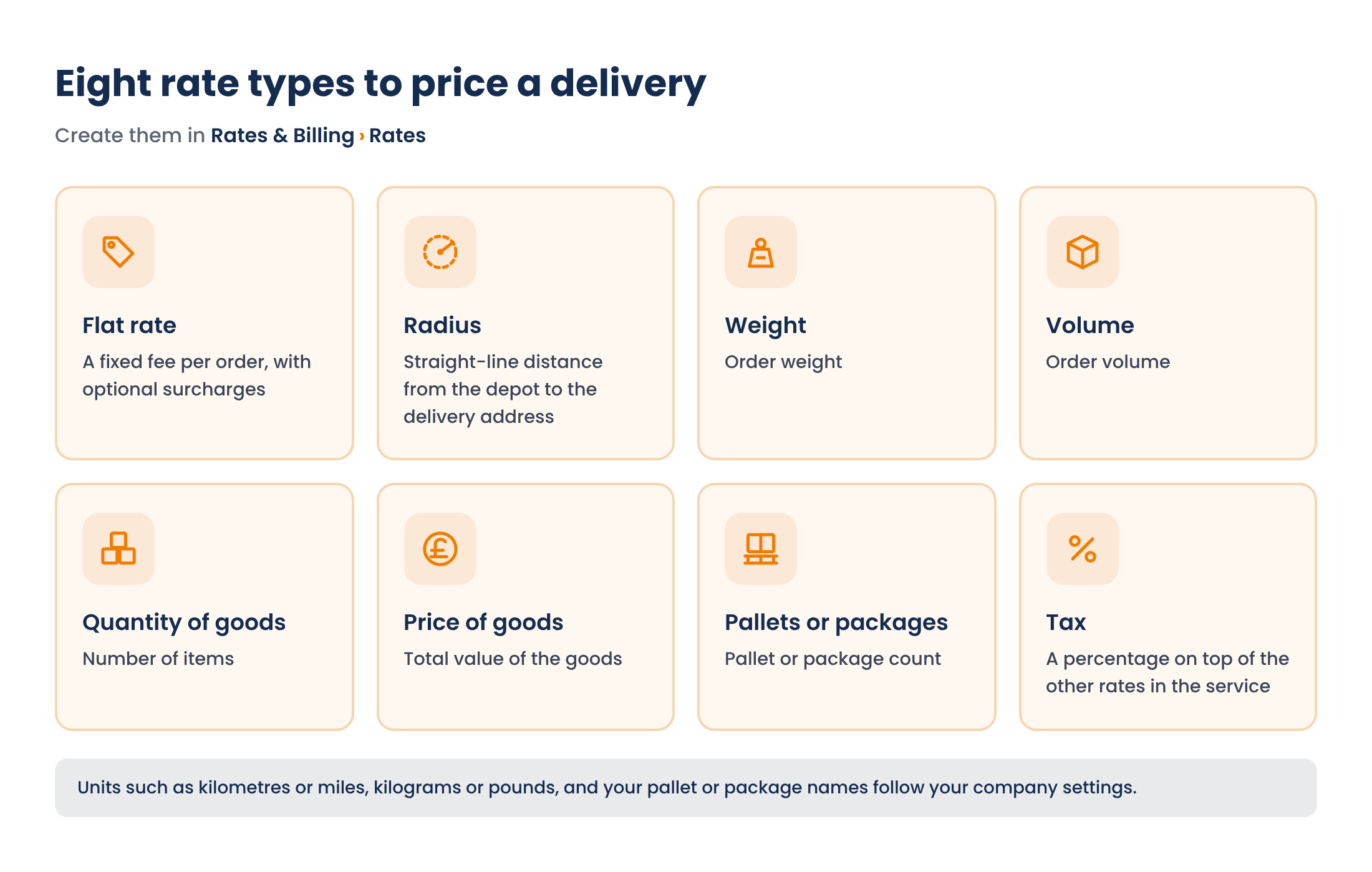
Units such as kilometres or miles, kilograms or pounds, and your pallet or package names follow your company settings.
Rates can charge per unit, with a free allowance if you want one ("first 10 kg free"), or by tier, where a whole weight or distance band costs one fixed price. A flat rate can carry surcharges for the order type, the delivery zone, the vehicle on the route, the arrival time window and weekend routes, with a minimum and maximum fee so a charge never falls below or climbs above what you agreed. All of these are set on the rate itself, in the same Rates section.
A charge that keeps up with the order
A delivery price often depends on things that aren't known when the order is created: which route it ends up on, which day that route runs, which vehicle takes it. Rates & Billing recalculates the charge whenever something relevant changes, as long as the order isn't completed yet. That includes editing or importing orders, adding an order to a route or moving it off one, rescheduling or optimizing a route, and changes to your rates, services, zones, depots or vehicle types.
So an order created on Wednesday at the standard price picks up your weekend surcharge on its own once it's planned onto a Saturday route. When pricing settings change, open orders are recalculated in the background, usually within about a minute.
Once the order is completed, whether delivered, partially delivered or not delivered, its amount is frozen. Later changes to your price list don't touch charges for work that's already done. To check where an order stands at any point, open it and look at the Charges tab.
Every charge in one report
Rates & Billing → Invoices lists the calculated charge for each order. Filter by date range and by whether the date means the order, the route or the completion date, then narrow down by shipper, order type, status, depot, client or order number. Totals can be grouped by day, week or month, and the Report button exports the result to Excel, ready to reconcile or send to the shipper.
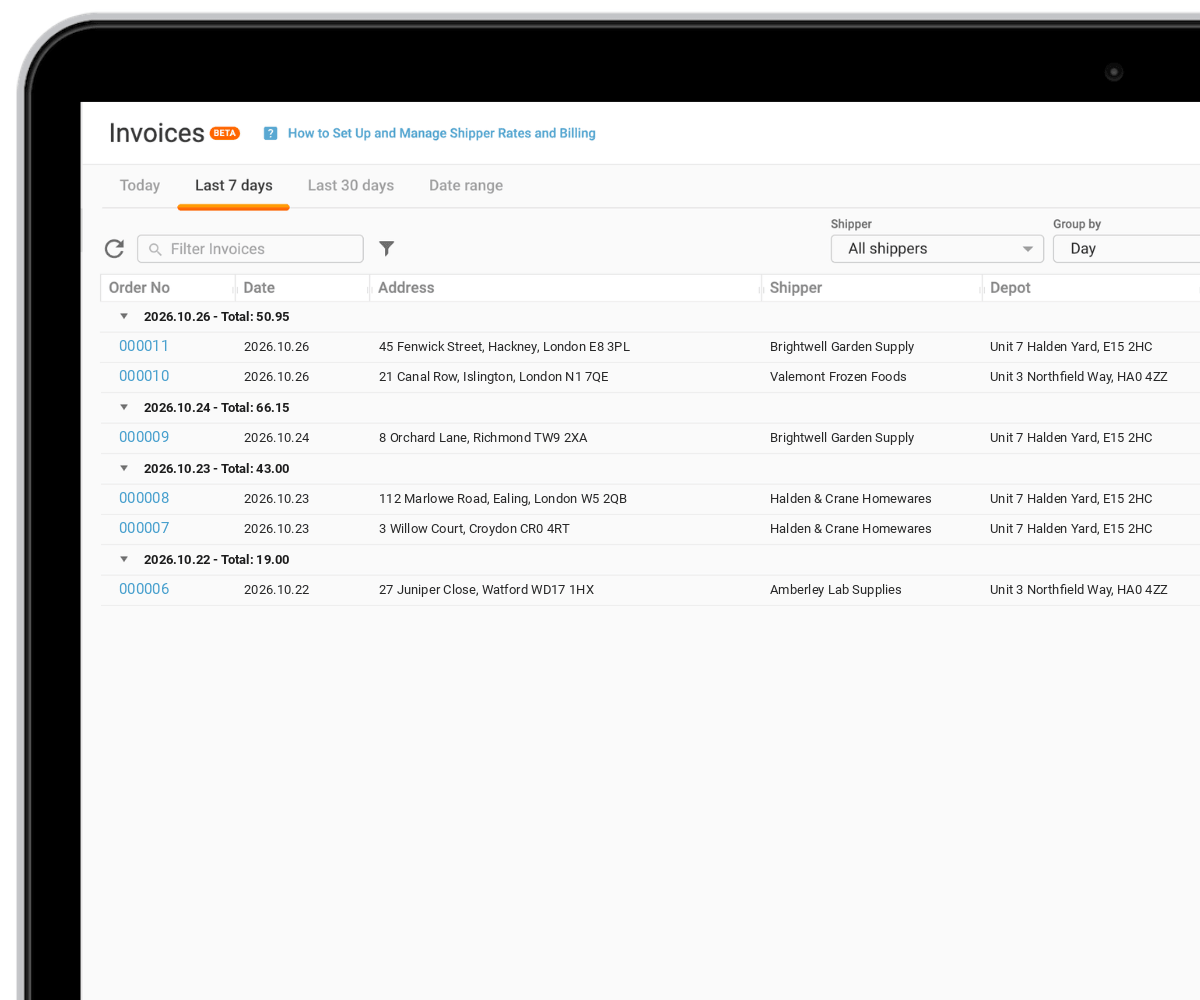
Clicking an order number opens its breakdown: which services and rates were applied, what each was calculated on, the tax, and the total. The History tab records every change to the amount, with the date, the event that caused the recalculation and, where a person made the change, who it was. When a shipper asks why an order cost what it did, the answer is a click away.
Who it's for
Rates & Billing is built for companies that deliver on behalf of others and charge per order: 3PLs, couriers, and distributors running deliveries for several brands. If each shipper has its own terms, or your price depends on weight, distance, day or zone, this is where those terms can live.
The feature is in beta. The calculations cover a lot of combinations, and we want to hear how they hold up against real price lists. If something in your pricing doesn't fit the model, tell your account manager or our support team, and it will shape what we build next.
Recap
Rates & Billing turns your price list into rules Track-POD applies to every order. You build rates, combine them into services and assign the services to shippers. Charges are calculated automatically, updated while the order or its route changes, frozen at completion, and collected in an exportable Invoices report with a full history per order. Available on all per-order plans and the per-driver Ultimate plan, in beta.
For the calculation rules, overlapping services and tax, read Part 2: Rates, Surcharges and Taxes.