- Product news
- Route Planning
Custom Notifications for Unscheduled Orders

by
Anton Ananich
October 01, 2026
An order can sit unscheduled for a day, a week, or longer. It is waiting for stock, for a confirmed address, for enough volume in the same area to make the trip worth running. The customer at the other end is waiting too, usually without knowing which of those is the reason.
Custom notifications used to start at the route. A bell icon on a route sent a message to every order on it, and individual orders on a route could be notified the same way. Orders that had not been planned yet had no way to receive anything.
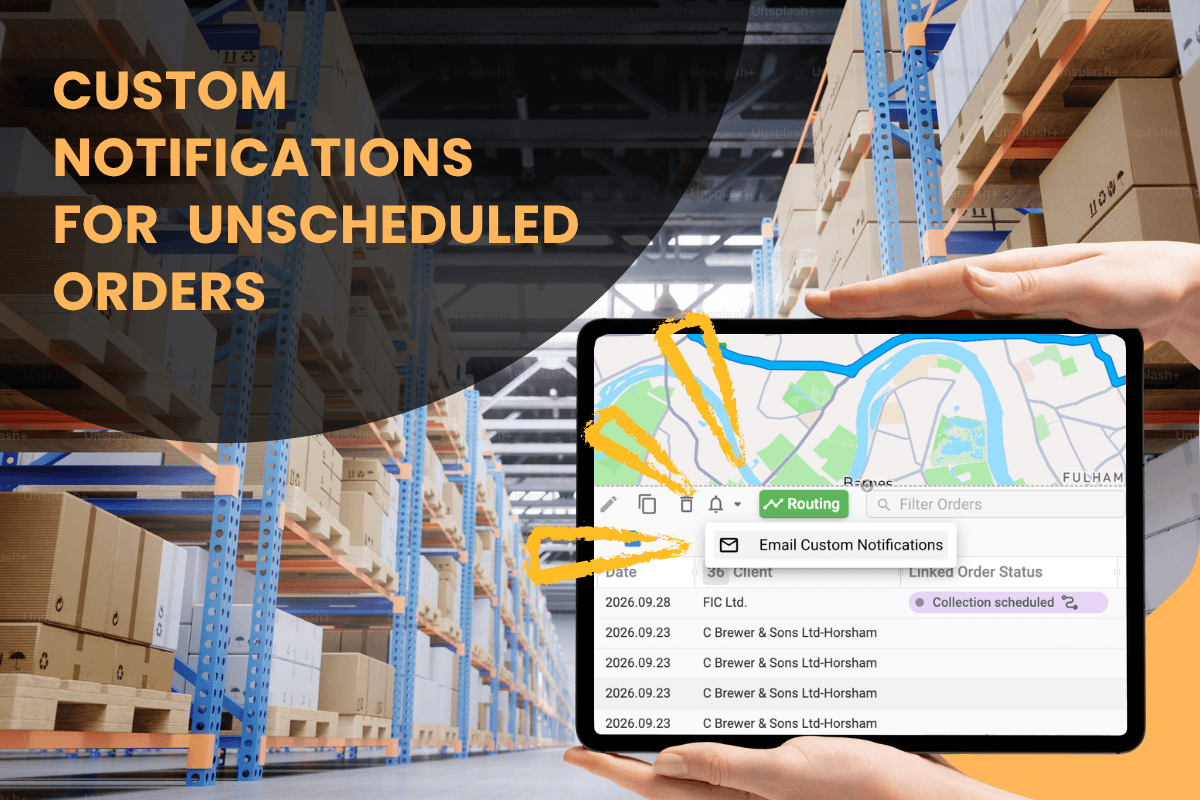
That gap is closed. The Unscheduled section in Plan & Track now has its own bell icon, and it opens the same notification dialog.
How it works
In Plan & Track, select the orders you want in the Unscheduled section. The bell icon in the section header becomes active, and clicking it opens the template selection dialog familiar from routes.
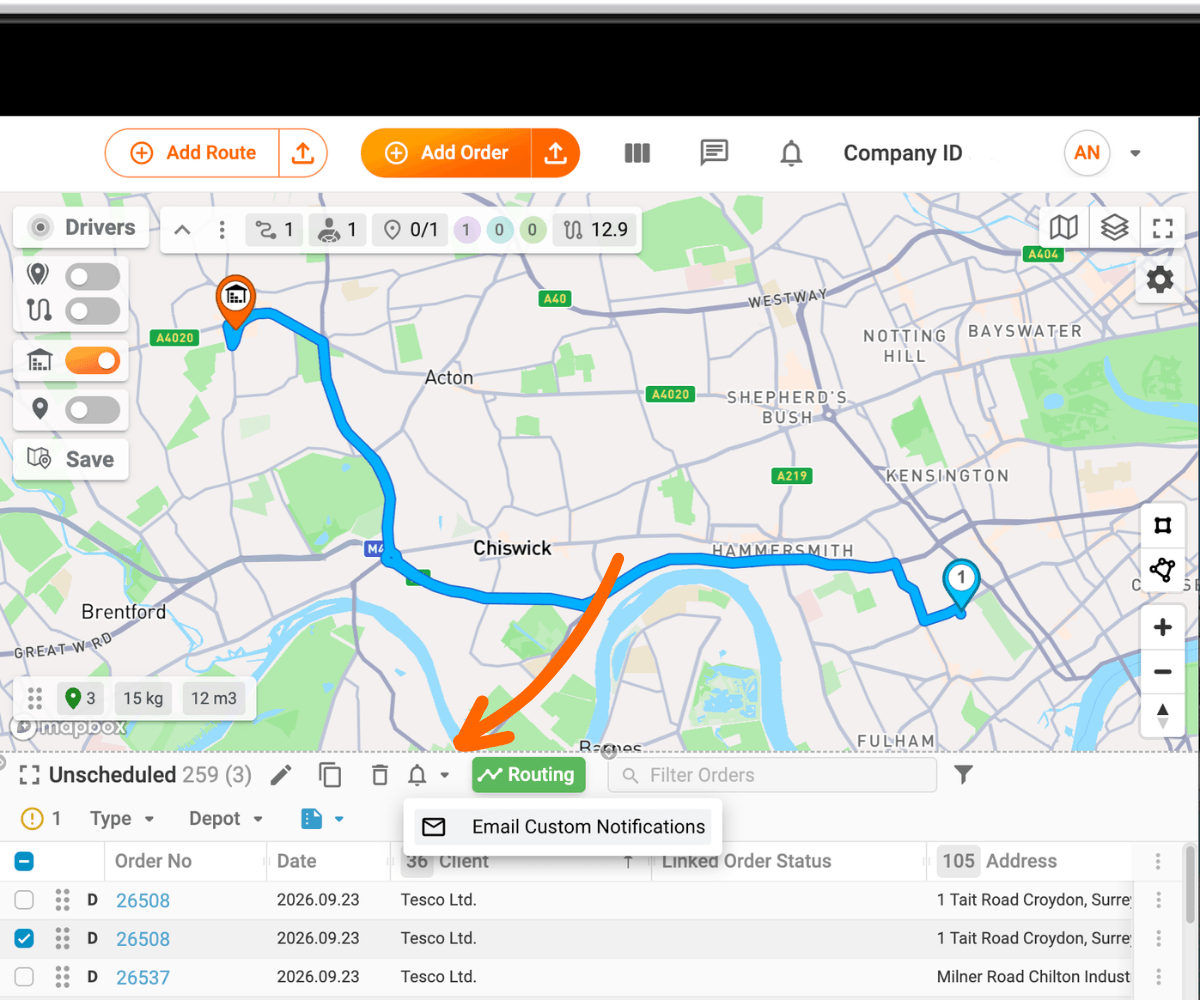
Choose SMS Custom Notifications or Email Custom Notifications, pick a template, and send. Up to 100 orders can be notified in one action.
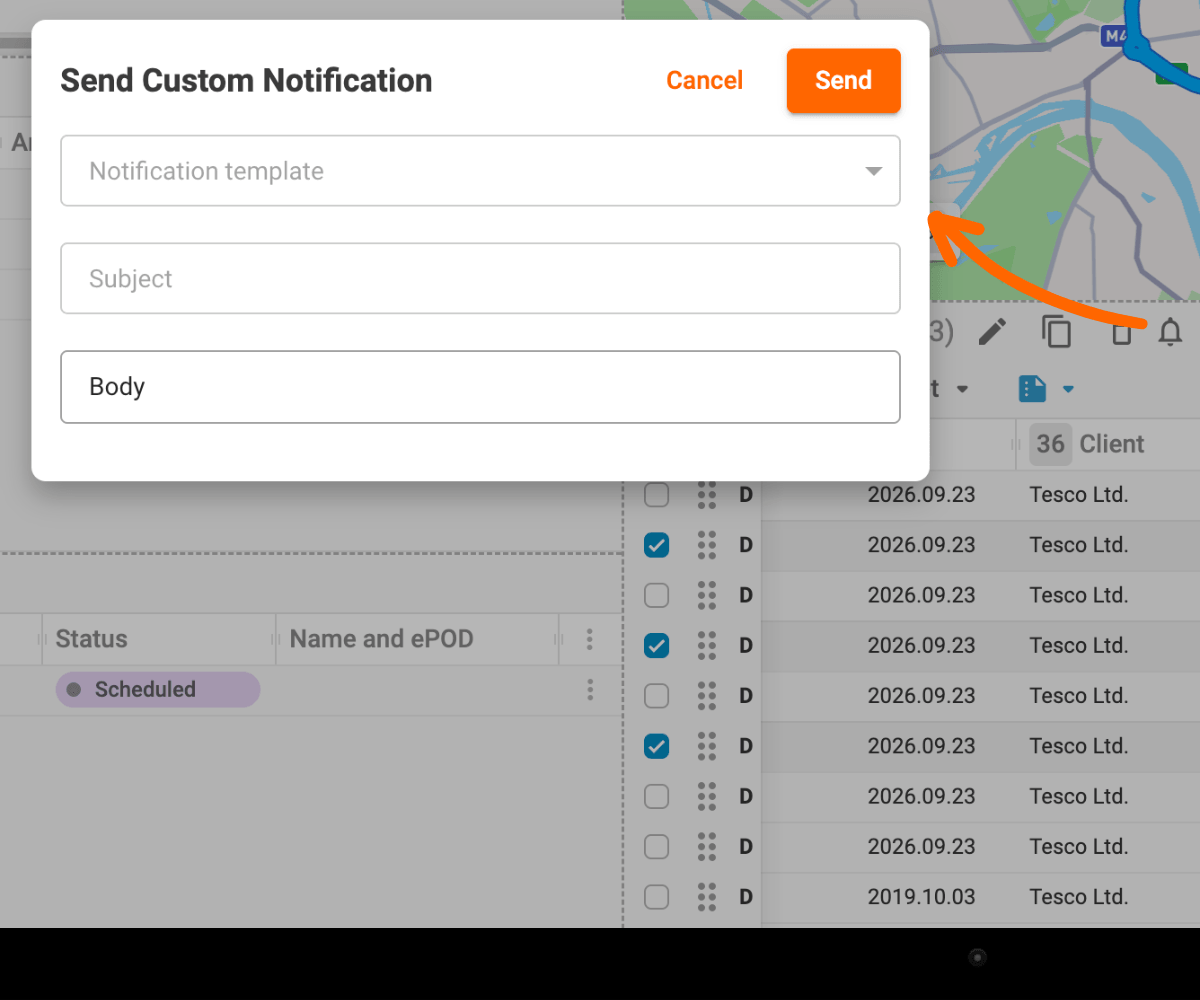
Email notifications work out of the box. SMS options appear once an SMS pack is connected to the account.
Templates, or a message written on the spot
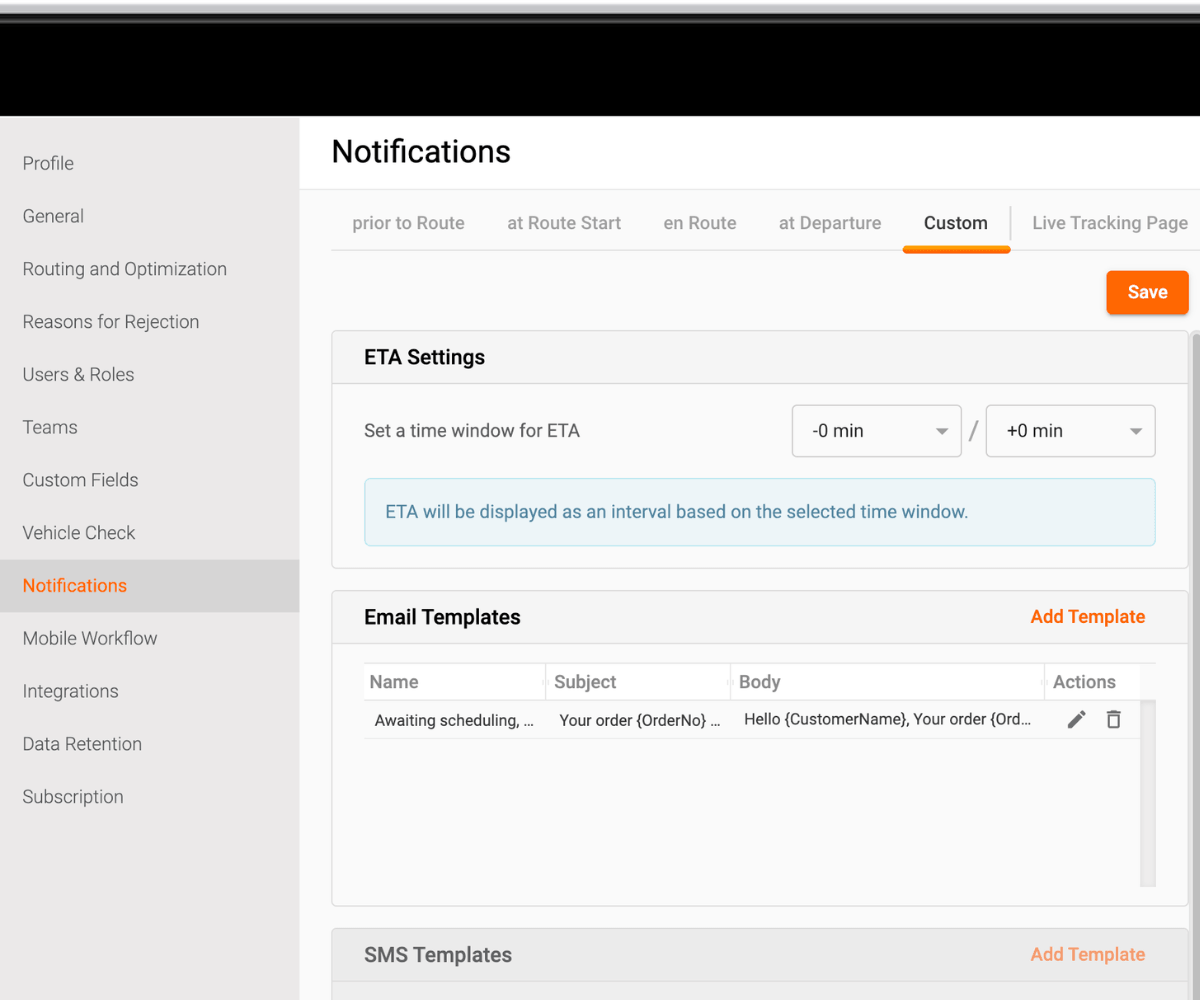
Templates live in Settings → Notifications → Custom. Build the ones you send regularly ahead of time, a delay notice, a confirmation request, a reschedule offer, and they are ready in the dialog when you need them.
For a one-off message, the subject and body can be typed directly in the dialog without saving a template first.
Why it matters
Most of the questions a support line receives are about orders nobody has planned yet. "Is it coming this week?" is asked before a route exists, and answering it one call at a time costs more than sending a hundred messages at once.
There is a planning benefit too. A reschedule offer sent while an order is still unassigned can come back with a better date, which is cheaper to accommodate before the route is built.
Recap
The Unscheduled section in Plan & Track has a bell icon for custom notifications, up to 100 orders at a time. Templates come from Settings → Notifications → Custom, or text can be written in the dialog. SMS requires an SMS pack on the account. Available on all plans.