Branded customer email notifications

by
Yulia Miashkova
March 27, 2026
"Where is my order and when will it arrive?"
The importance of timely and concise shipping notifications cannot be overstated. In fact, shipping updates are one of the cornerstones of a customer-centric delivery process.
We at Track-POD understand the role of shipment notifications.
- Eliminate calls on the status of delivery.
- Increase the rate of successful deliveries.
- Keep customers happy with live tracking.
- Document and share proof of delivery.
With all of these goals in mind, we keep improving the look at the functionality of shipping notifications available in Track-POD software.
Read on to uncover the full potential of customer notifications.
Brand new look
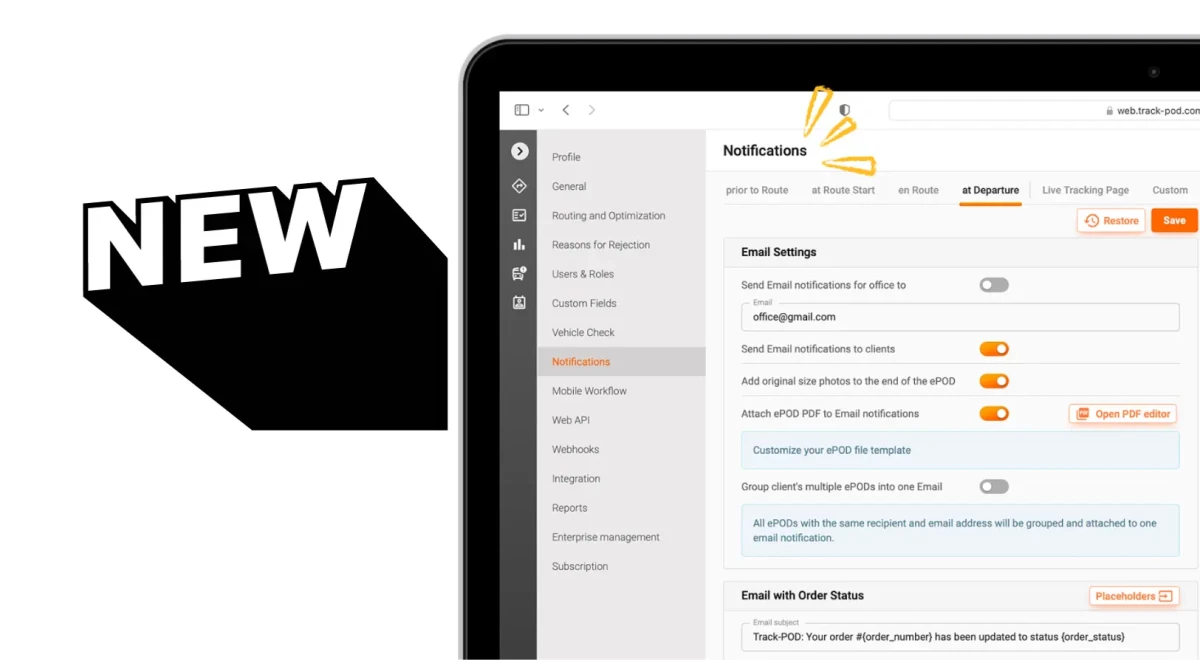
Notifications management in Track-POD got better thanks to the new interface. All notification settings are consolidated in one menu, with every notification type available inside.
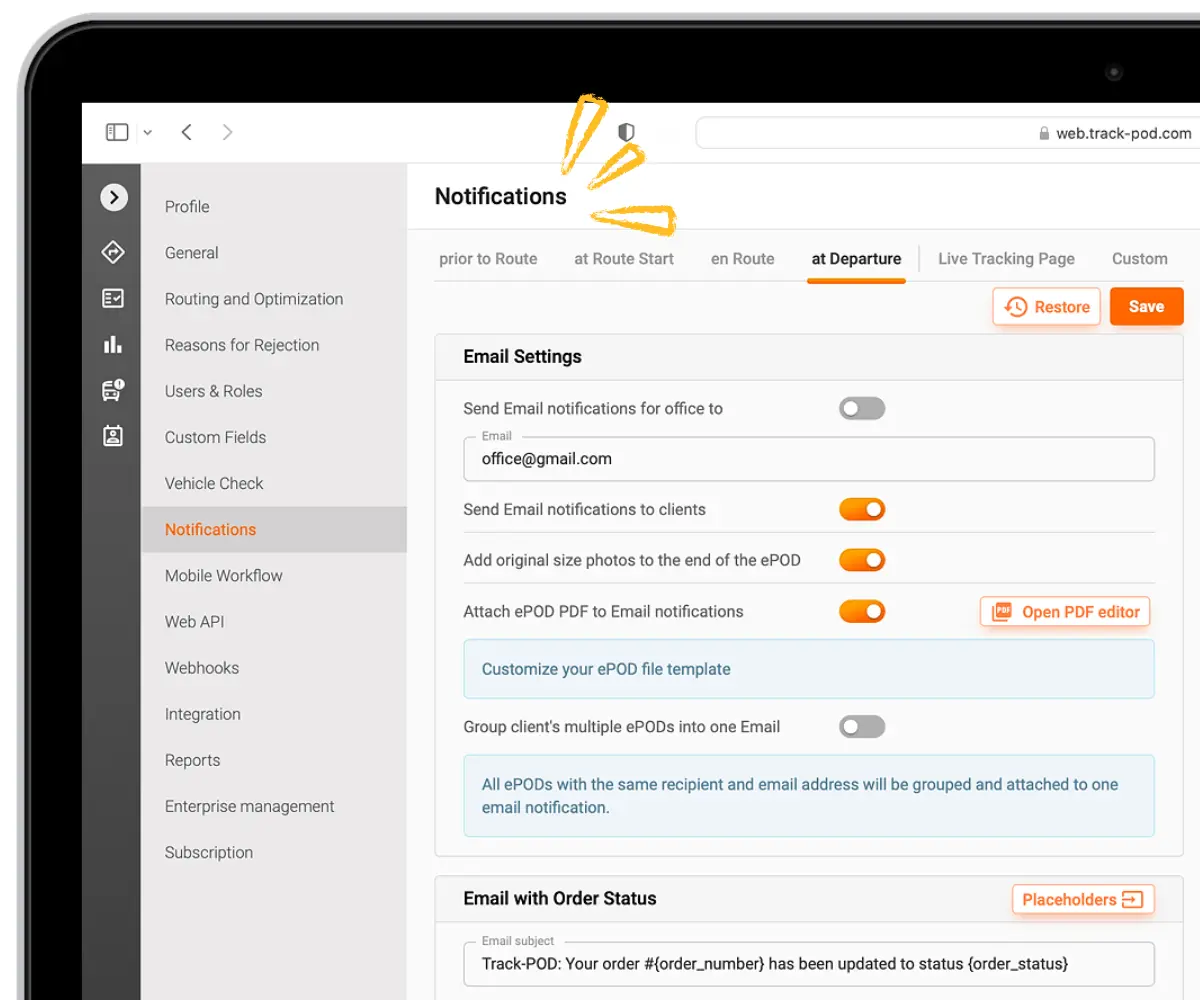
You can move easily between the tabs to adjust the settings of each notification type individually.
- Prior to Route - informs the customer of the estimated arrival date and time.
- At Route Start - can be sent automatically or triggered manually by the driver; includes a live tracking link.
- En Route - real-time driver location + dynamic ETA recalculated en route.
- At Departure - includes a custom Proof of Delivery note.
Configuring your Proof of Delivery notifications has never been easier.
In the new interface, you can use the toggle to tell the system if you want your Proof of Delivery documents to be attached to the notifications sent at the driver's departure from the delivery address.

In a separate tab, you get to customize the live tracking page shared with customers via shipping alerts.
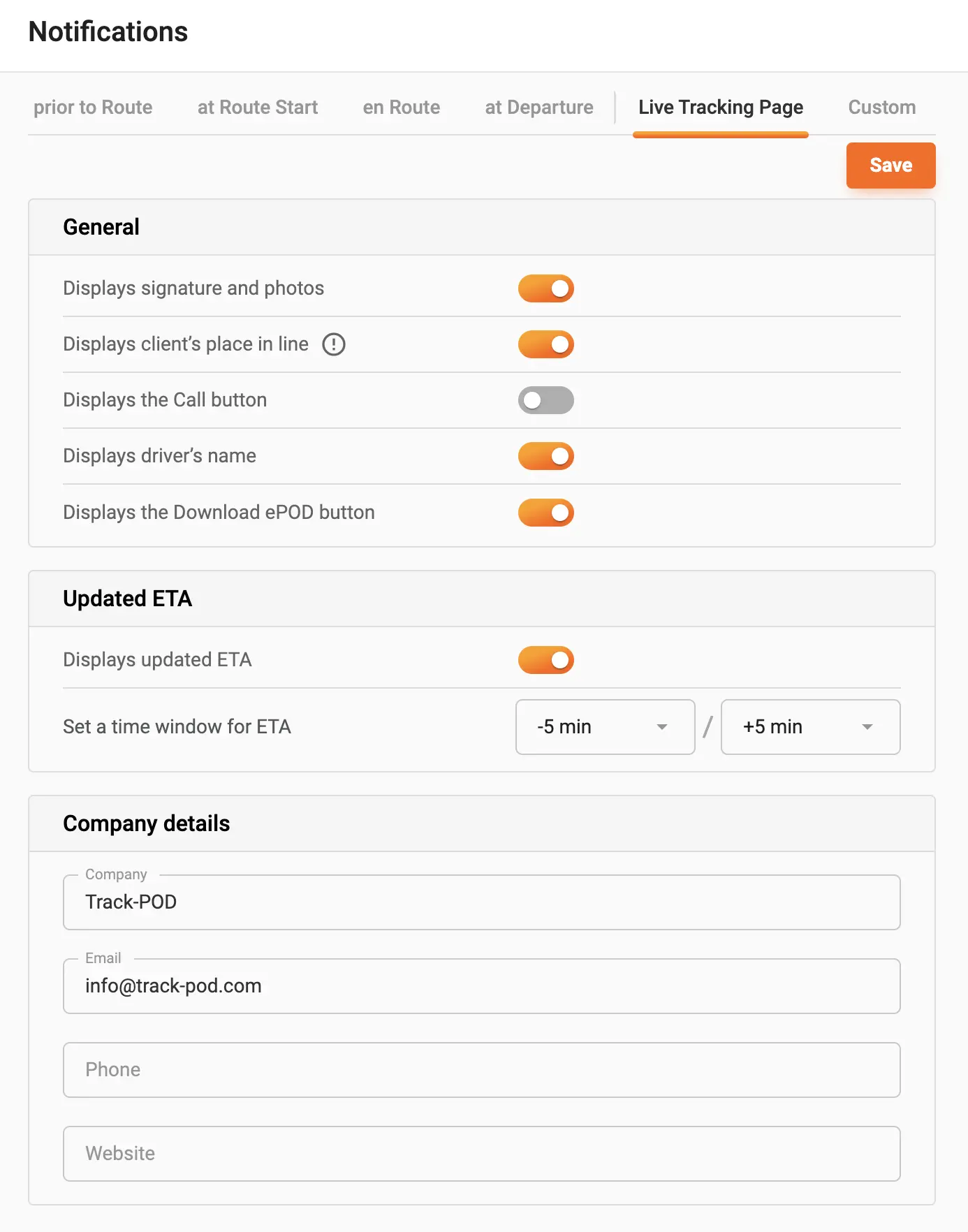
You can choose which information you want to be displayed (e.g. the customer's place in line or driver's name) as well as give customers the option to contact their drivers and/or download their Proof of Delivery documents.
New custom branding option
All shipment notifications in Track-POD are fully customizable. This applies to both email and SMS notifications.
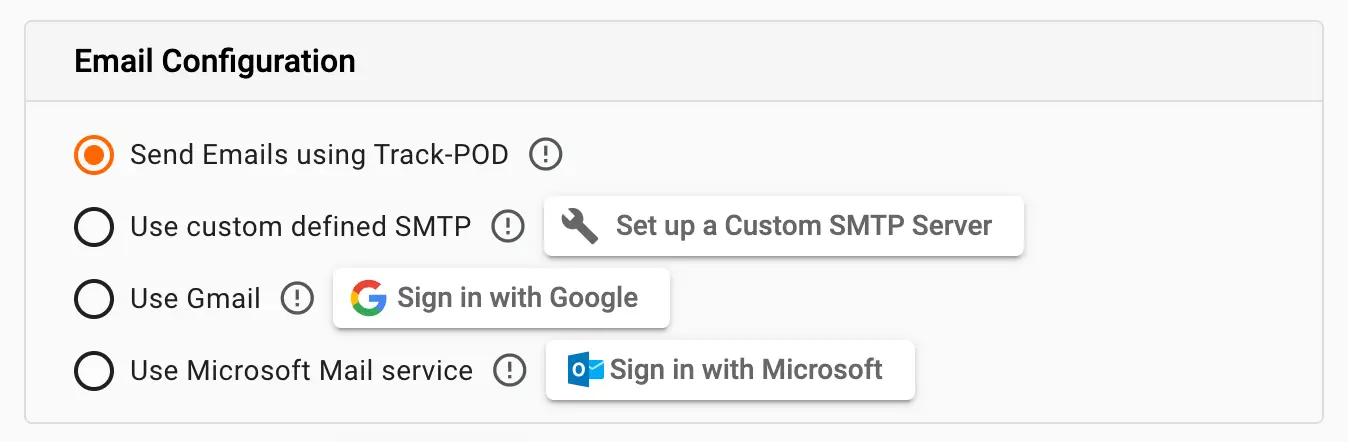
For delivery operations that want to take customization even further, we offer the option to use custom-defined SMTP servers, Gmail, or Microsoft Outlook services. This way, you can share shipping updates using your business name as the sender.
Our latest update lets you use Gmail or Microsoft Outlook for custom email branding. Sign in to your Google or Microsoft Outlook account and use it for all future notifications.
Notifications history
It can be hard to keep track of all shipping notifications sent throughout the day. Especially when it comes to tracing individual orders.
This is why we introduced Notifications history - as a separate tab in the quick order info menu.
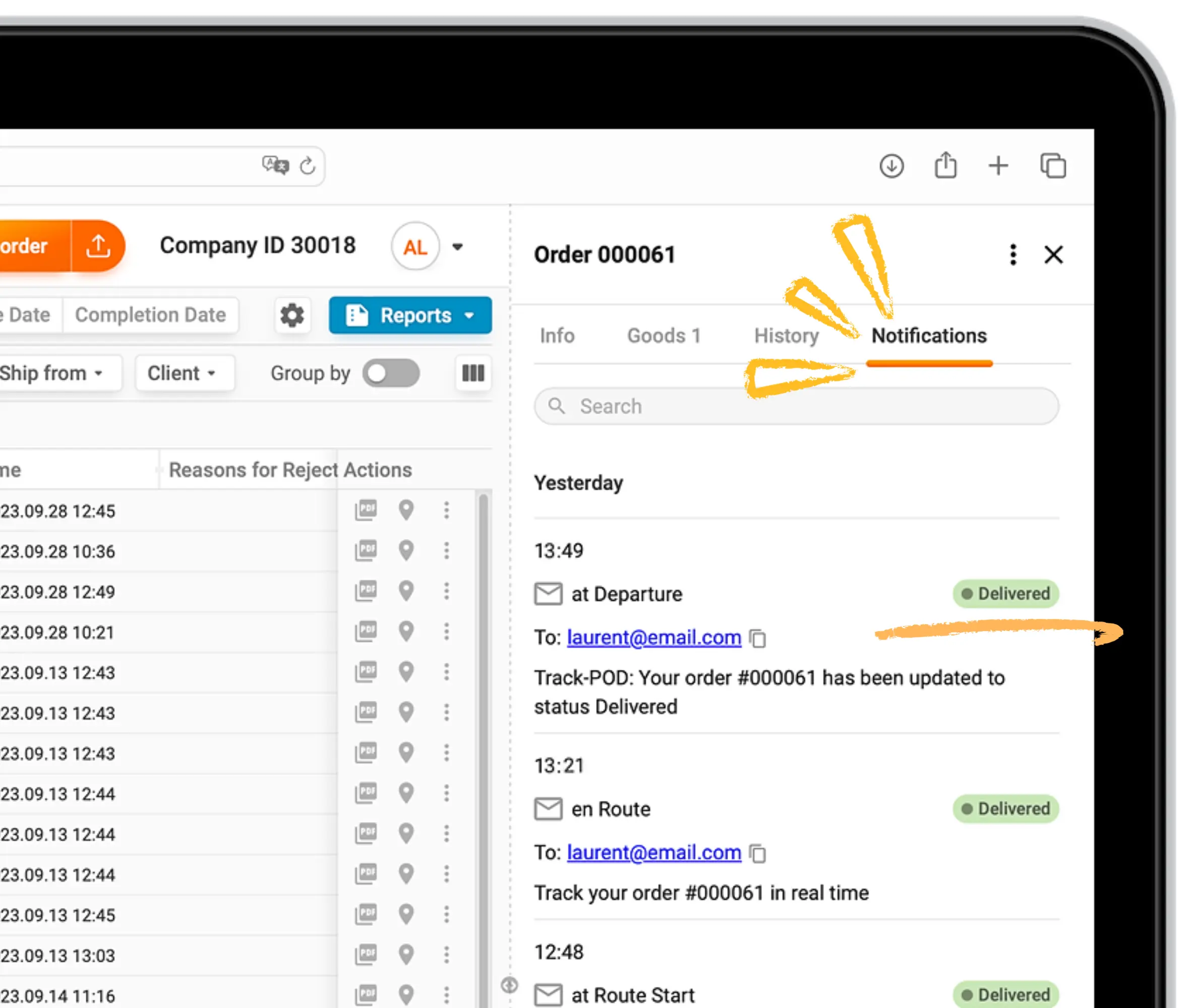
By clicking on any order number, you can quickly check which notifications were sent to the email associated. You can see the status of each notification as well as the time at which it was sent.
More visibility
To give you a bird's eye view of all notifications, we included quick hints to the Plan & Track dashboard.
Since your routing dashboard is fully customizable, you can include Notifications as a separate workspace column. Drag and drop it to your Routes view to be able to check on the notifications pertaining to each route quickly.
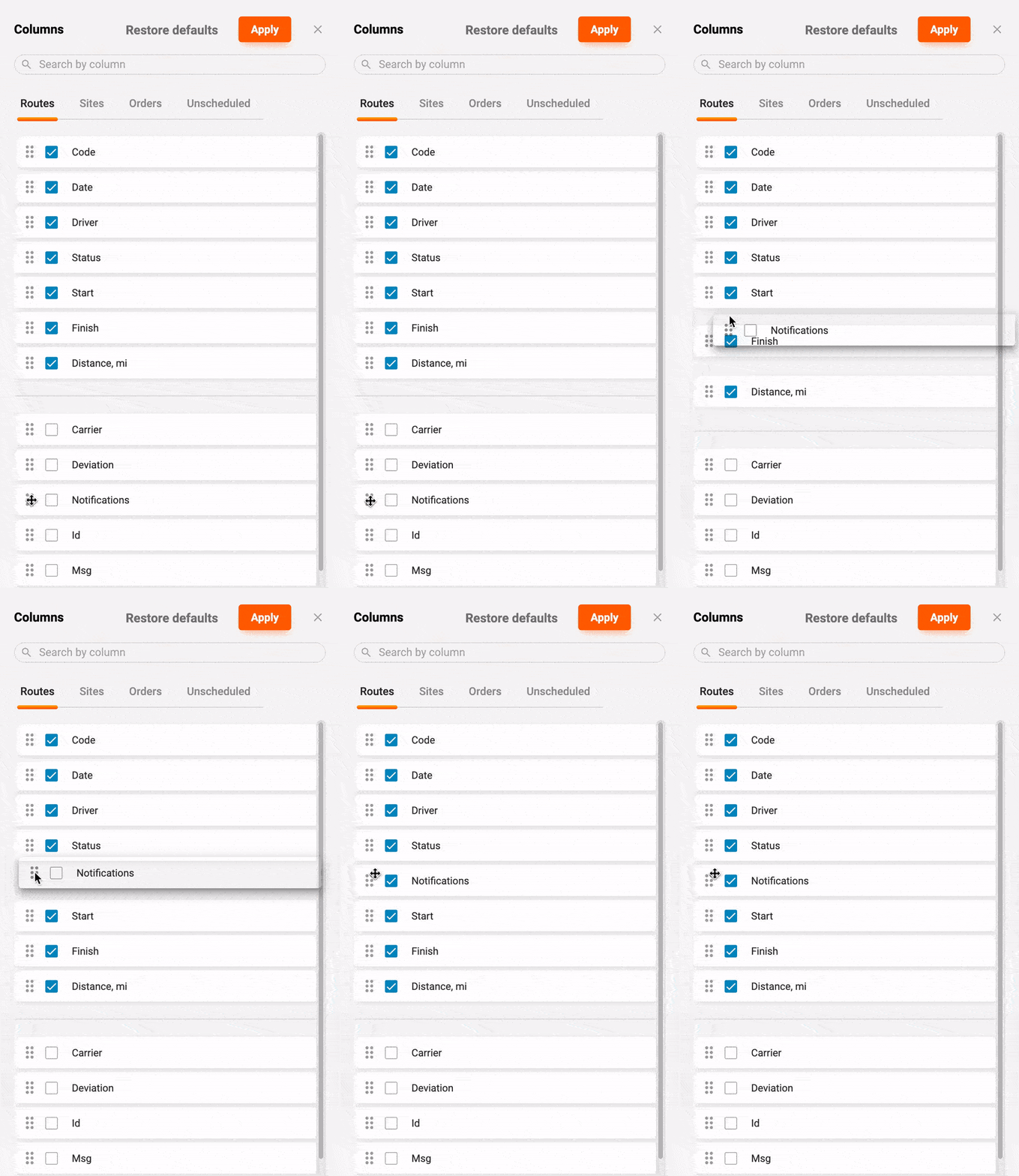
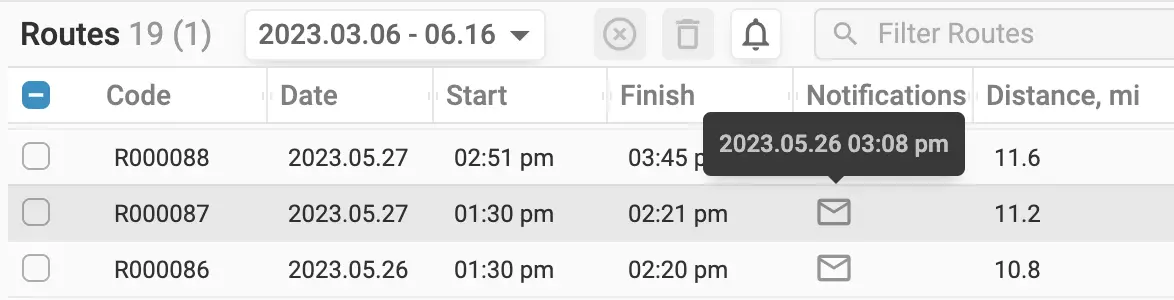
Your workspace will now include the Notifications column. By hovering over the message icon, you can check the date and time at which shipping notifications were sent.
Recap
Managing customer notifications in Track-POD has never been easier. Use the latest interface and advanced features of Track-POD Web to create your ideal shipping notification workflow.
If you need help deciding whether Track-POD is the right choice, book a custom demo and we'll answer your questions in real time.
About The Author
Yulia Miashkova
Growth marketing manager with a background in public relations, SEO, social listening, and Account-Based Marketing.