Odoo Integration: Sales Orders In, Proof of Delivery Back

by
Anton Ananich
November 18, 2026
If your sales team works in Odoo, every order already exists there as a quotation or an invoice. Getting it delivered usually means retyping the customer, address and goods into the delivery system, then going back to Odoo afterwards to correct the invoice when something wasn't delivered.
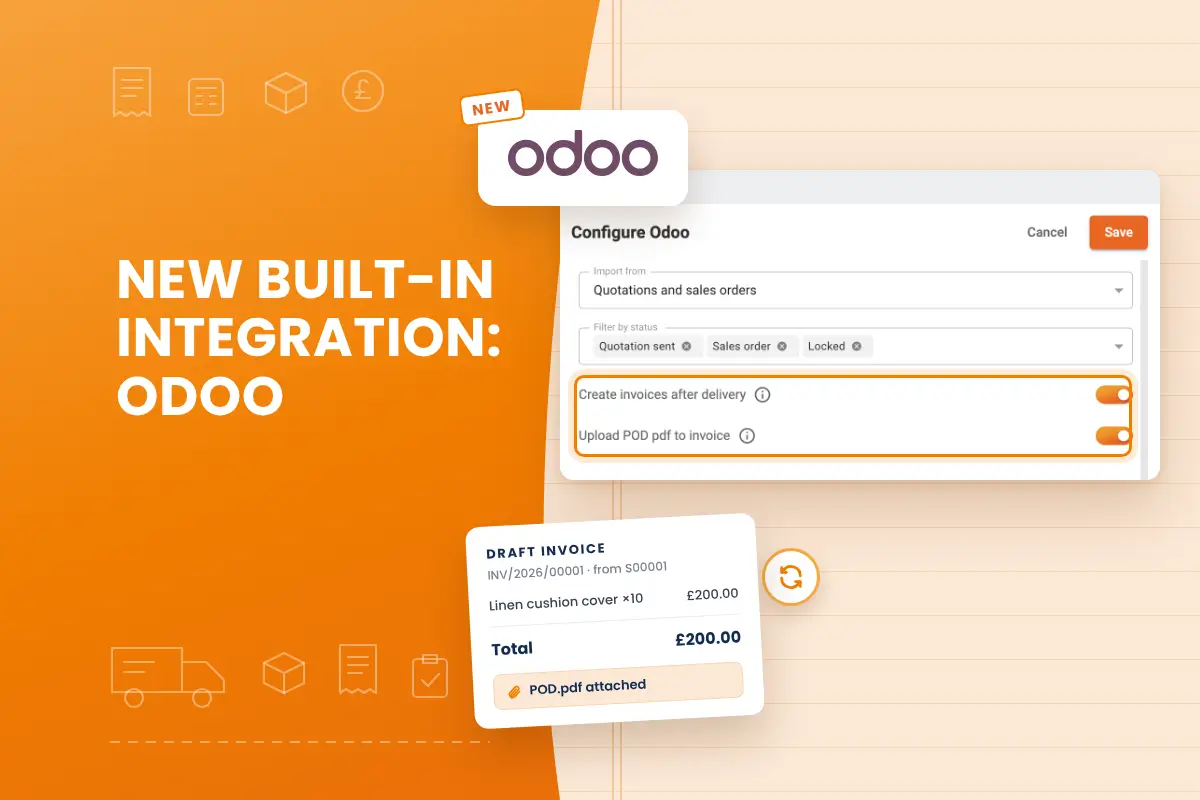
Track-POD now connects to Odoo directly. Each Odoo document becomes a Track-POD order, and once the delivery is done, the result goes back to Odoo: a draft invoice built from what was delivered, an invoice adjusted for a short delivery, and the proof of delivery attached as a PDF. Each of these steps can be switched on separately.
From Odoo document to delivery order
You choose which Odoo documents Track-POD imports: sale orders (quotations) or customer invoices.
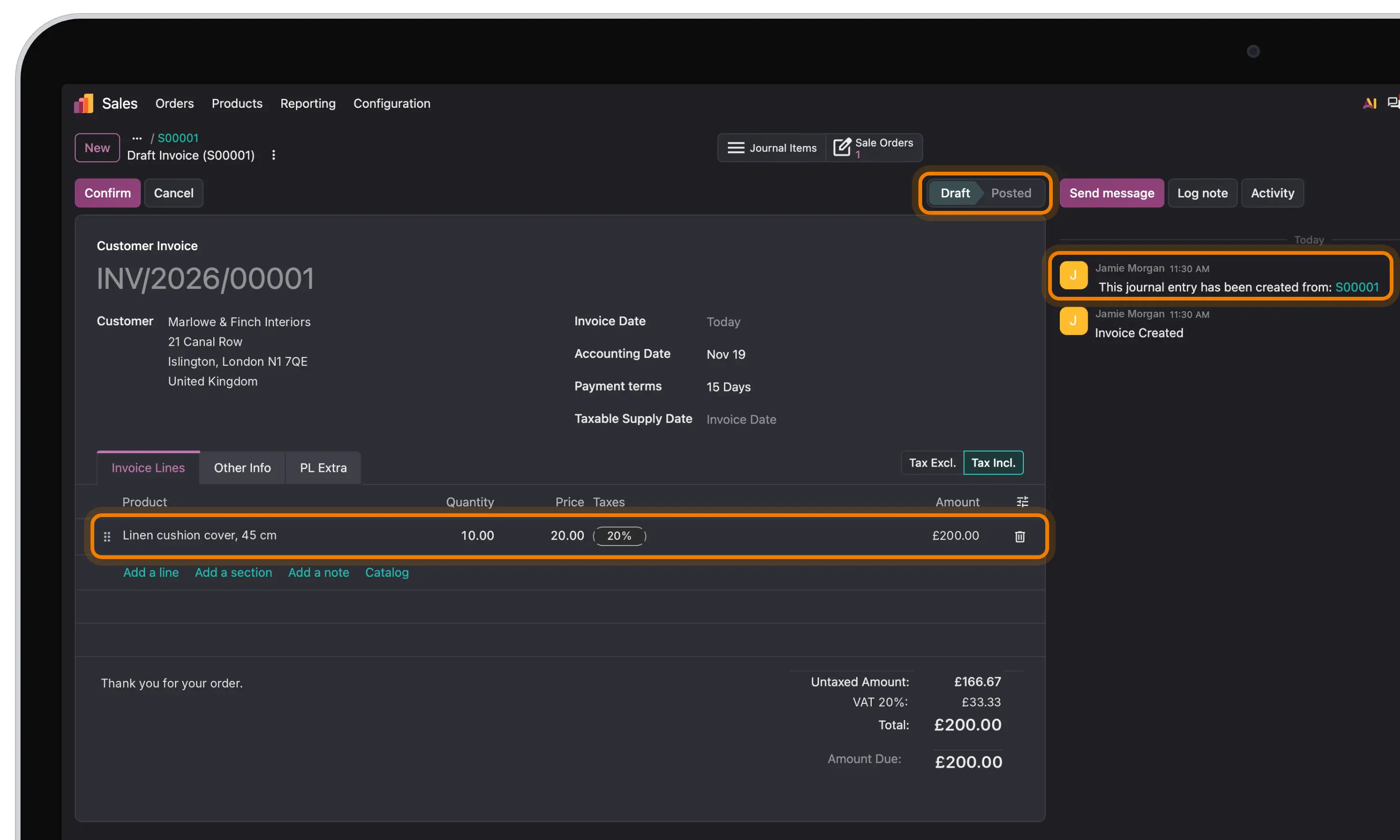
Each document becomes one Track-POD order:
- The order keeps the Odoo document's number and date.
- The customer, delivery address, phone, email and contact person become the order's recipient.
- Each product line becomes an order item with its name, code, quantity and price.
- The shipper and depot you set for the integration are applied to every imported order.
Only the documents you want come in. Track-POD skips drafts and cancelled documents, statuses you didn't select, anything dated before your start date, and documents with no lines or no address.
If the document changes in Odoo, the Track-POD order updates too, until the order is planned into a route. After that, the plan stays as it is.
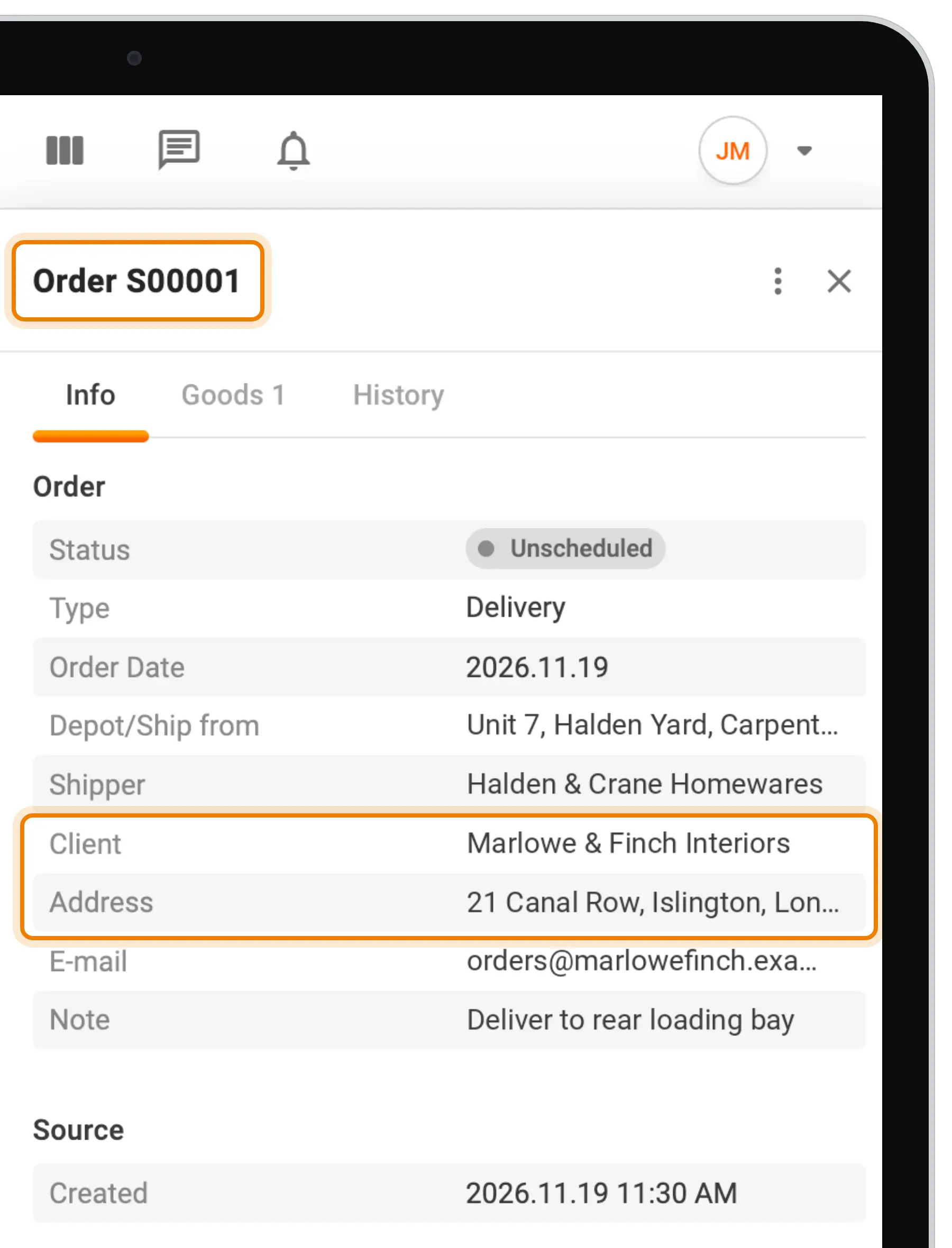
After delivery, back to Odoo
Once the driver completes the order, Track-POD sends the result to Odoo. There are three options, and each one is switched on separately.
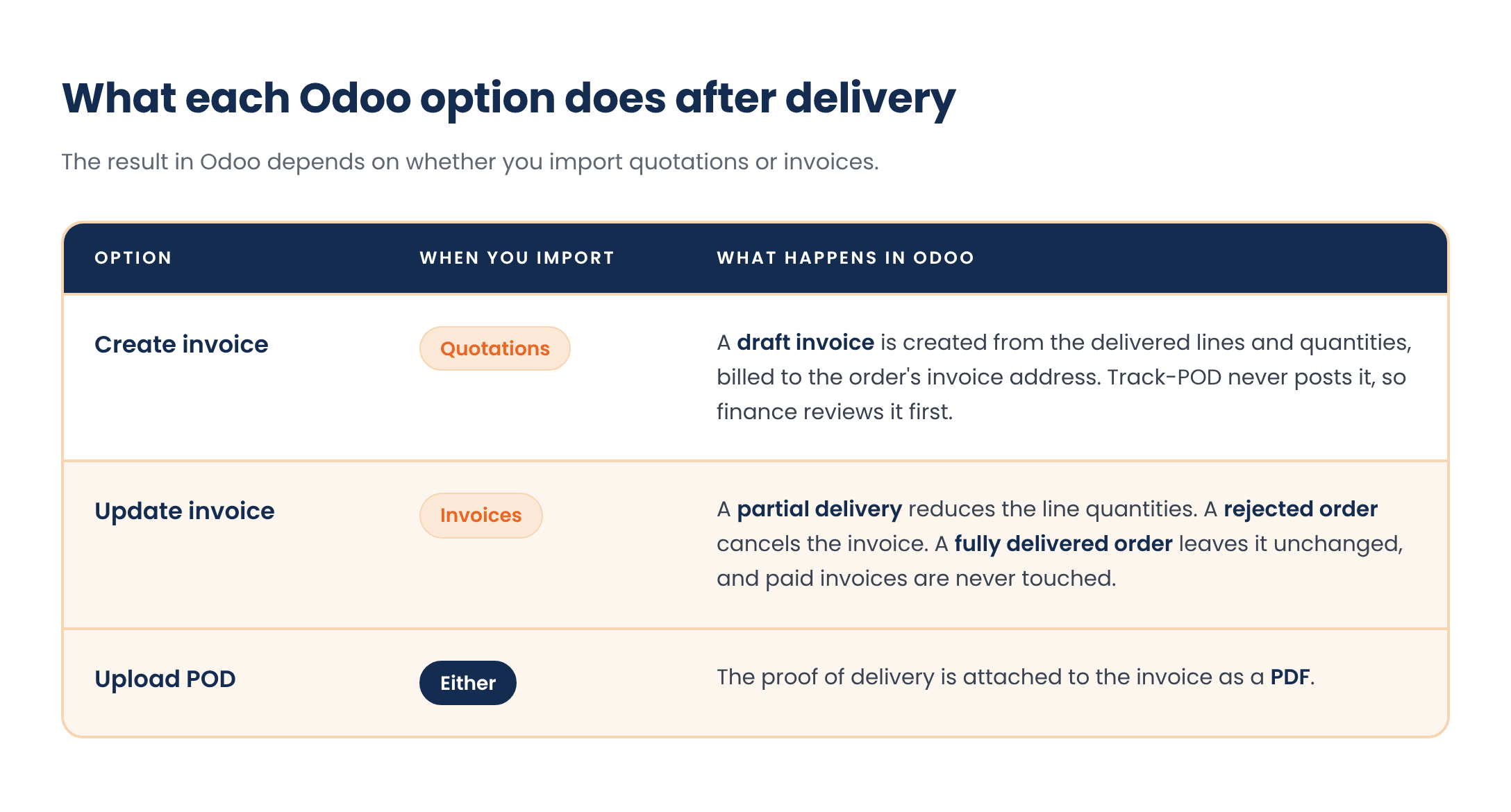
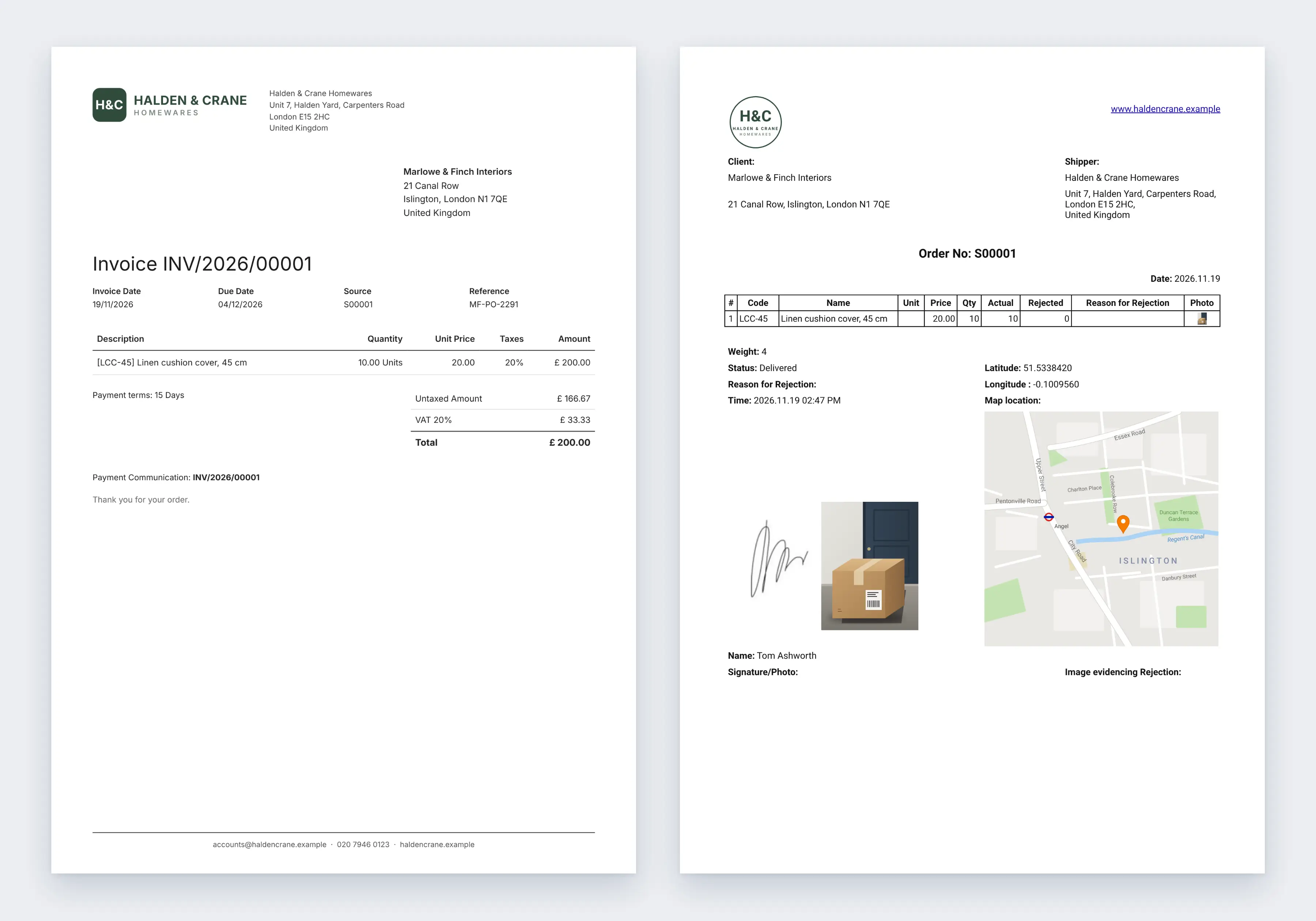
So the invoice in Odoo reflects what the customer actually received, and the proof of delivery sits on it for anyone who needs to check a charge.
Connecting Odoo
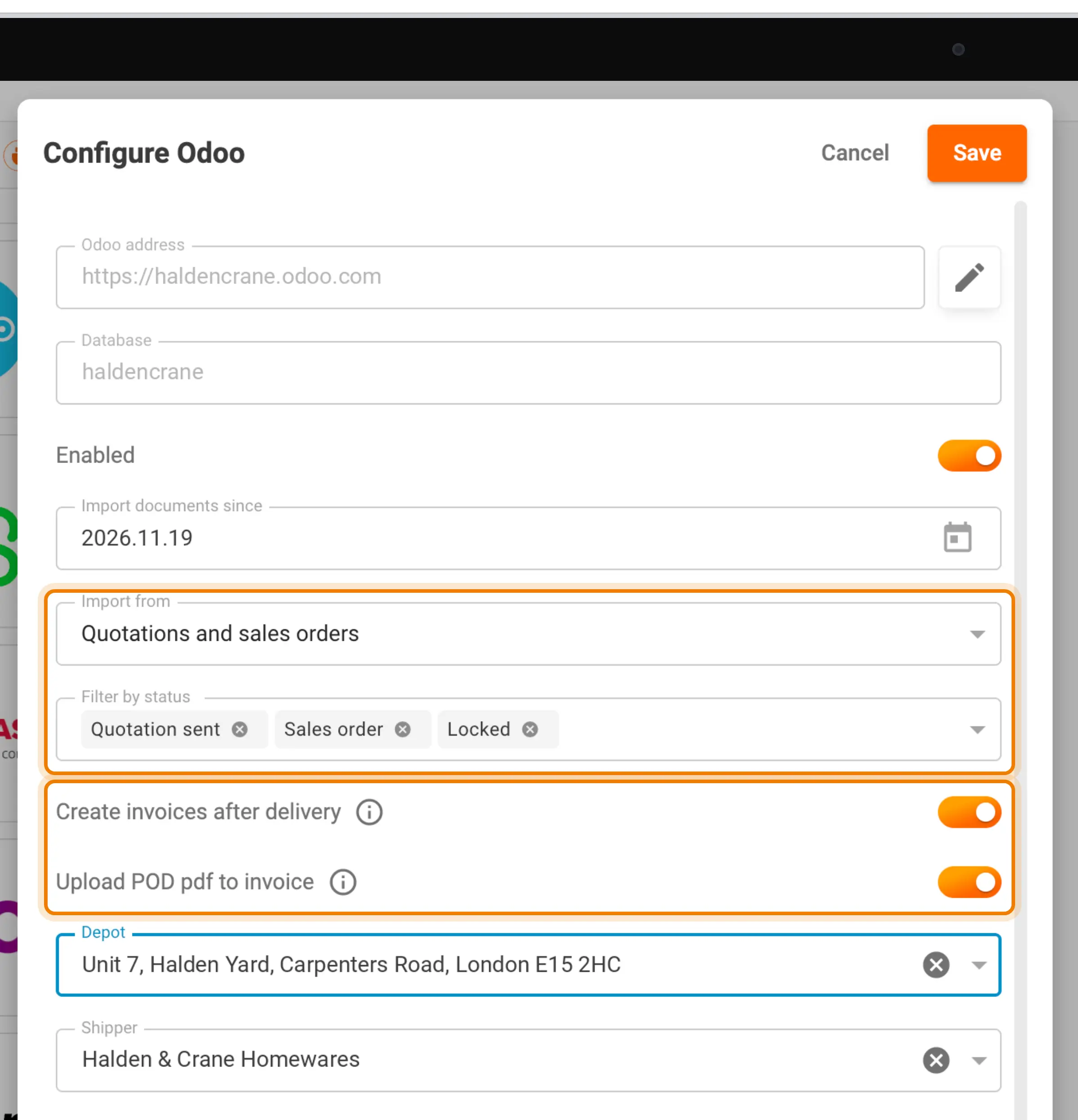
- Go to Settings → Integrations → Odoo and connect your account with its address, database and API key.
- Choose what to import (quotations or invoices), which statuses to include and the date to import from, then set the shipper and depot for imported orders.
- Switch on the export options you need: creating invoices, updating invoices and uploading the POD.
The integration focuses on orders and invoices. It doesn't sync customers or products as separate lists, stock levels, payments or routes, and it doesn't post invoices in Odoo.
Why it matters
Orders are created straight from Odoo documents, so nobody types the same customer, address and goods twice. Billing follows what was actually delivered: partial deliveries and rejections reach the invoice automatically, without anyone correcting it line by line. And the proof of delivery lands on the invoice in Odoo, where finance already works.
Recap
Track-POD now integrates with Odoo. Quotations or customer invoices are imported as delivery orders with the recipient and items filled in. After delivery, Track-POD can create a draft invoice from the delivered quantities, update an existing invoice for partial or rejected deliveries, and attach the proof of delivery as a PDF. Connect it in Settings → Integrations → Odoo.